Open Source App Cloud Marketplace
Deploy, host, and scale with one click, at half the cost. Then customize with AI agents.
NextOrders
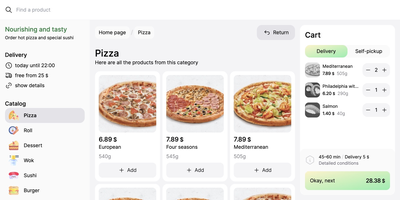
Marketplace apps take a large slice of every order, and NextOrders Food gives a restaurant its own ordering website instead. Customers land on a storefront carrying your brand, browse the menu, and check out under your domain, so the customer relationship stays with the kitchen. A city selector opens the right location storefront, which suits chains and ghost kitchens running several neighborhoods from one deployment. Menus speak to more guests with eleven or more bundled languages, from English and German to Georgian and Simplified Chinese. The cart stays visible on desktop during browsing, removing the hunt for the checkout button that loses hungry customers. Product pages can carry video, and the ordering flow highlights items frequently bought together, nudging a drink or side into the basket. Delivery and pickup are both supported at fulfillment, letting one menu serve couriers and counter collection. Pages render on the server as separate indexable pages, so search engines can find a city menu rather than a script shell. Behind the counter, the storefront talks to your backend through a typed food schema: your service supplies menus, prices, and order handling, and an example business logic service in the repository shows the contract working. Running on a dedicated VPS on RepoCloud with guaranteed CPU, RAM, and SSD, full root SSH access, and a browser serial console. MIT licensed.
LinShare
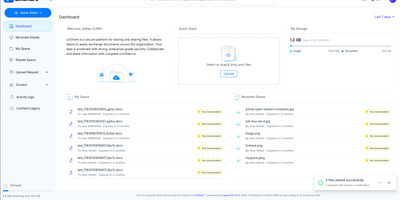
LinShare gives organizations a file sharing service they run themselves, where every upload, share, and download is accounted for instead of scattering across inboxes nobody can audit, retract, or find six months later. Your personal space keeps files organized and versioned, ready to share by link or email with the people who should have them and no one else. Teams work in shared spaces with roles, nested folders, and shared drives, so a project keeps one canonical copy instead of eleven emailed variants. Need files from someone outside? Send an upload request and they drop documents into a secure, expiring drop box without ever getting an account. Regular external collaborators become guests with restricted, time-limited accounts, and contact lists make recurring groups of recipients reusable in one click. Administrators see the whole picture in activity logs that trace every download, share, and change, while antivirus scanning checks files as they move through the system. Previews spare everyone the download-just-to-check dance, and directory integration with LDAP and OpenID Connect single sign-on means accounts follow your existing identity rules. Everything an administrator can click, automation can call through the REST API, and an MCP server even lets AI assistants manage files, shares, and guests on your behalf. Running on a dedicated VPS on RepoCloud with guaranteed CPU, RAM, and SSD, full root SSH access, and a browser serial console. AGPL-3.0 licensed.
LangGraph GUI
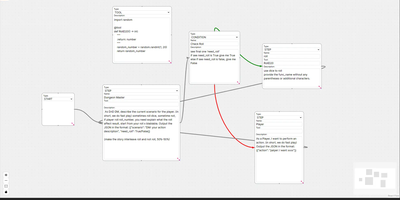
Building LangGraph agents in code means imagining the graph; LangGraph GUI turns that graph into something you draw, wire, and run from the browser instead. You place a start node, add step nodes, and drag edges between ports to define the flow, with cycles created by simply connecting nodes back toward each other. Condition nodes split execution into green true paths and red false paths, info nodes append context to stage output, and subgraph nodes run a whole named graph inside another one. Tool steps call real Python functions that you define in tool nodes with the familiar decorator style, so file saving, lookups, and custom logic sit inside the visual flow. Graphs save to JSON on your computer, load back for editing, and upload to the server as workflow files ready to execute. You configure which LLM to use and its API key in the panel, run against local models through Ollama or hosted APIs, then download every file the run produced in the workspace. Files upload to the server workspace as working environment, and a cache clean clears it between runs. Example graphs for role-playing loops, lottery branch switches, and tool-using flows show patterns you can copy and refine with your own prompts. Running on a dedicated VPS on RepoCloud with guaranteed CPU, RAM, and SSD, full root SSH access, and a browser serial console. MIT licensed.
Reconner
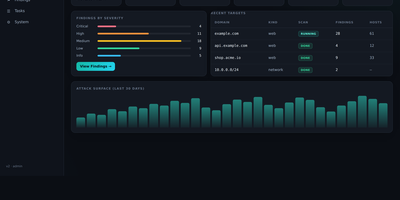
Hunting for the hole is only half the job, because a scanner alert nobody believes wastes more time than the bug itself. Add a domain, CIDR, or bug-bounty scope and Reconner builds the map first: passive and active subdomain enumeration, live HTTP probing and fingerprinting, JavaScript analysis that digs endpoints, secrets, and API keys out of bundles, plus parameter and hidden-param discovery. Then it attacks what it mapped with a context-aware engine covering reflected, stored, and DOM XSS, SQL, NoSQL, SSRF, IDOR, LFI, SSTI, XXE, injection, and open redirects, and every candidate has to survive differential, out-of-band, or control-based proof, re-verified before it is ever reported. Blind issues are not dropped either: OAST callbacks catch out-of-band SSRF, RCE, SQLi, and SSTI that never respond inline. Networks get the same treatment, with port scanning, service detection, network-CVE checks, and IP-camera auditing. Findings land in a live dashboard streamed over WebSocket, with an attack-path view, coverage ledger, monitoring diffs, and HTML, Markdown, and PDF reports, while Telegram can alert you and even start, stop, or resume scans remotely. Run it only against assets you own or are authorized to test; behind a VPN and TLS it becomes your private proving ground. Running on a dedicated VPS on RepoCloud with guaranteed CPU, RAM, and SSD, full root SSH access, and a browser serial console. MIT licensed.
OwnPilot
Bridging local hardware and cloud intelligence, OwnPilot orchestrates autonomous multi-channel agent swarms and visual workflow pipelines while keeping sensitive personal records strictly on private infrastructure. Users can trigger autonomous task runs that browse websites using headless browser automation, extract data tables, and summarize research directly into encrypted markdown notebooks. The built-in workflow canvas allows individuals to construct branching automation sequences combining large language models, conditional logic gates, iterative data loops, and human-in-the-loop approvals. Users delegate calendar scheduling, task tracking, expense budgeting, and contact lookups through conversational chats conducted over web portals, Telegram bots, or WhatsApp numbers. Operators can dispatch coding agents to inspect local repositories, execute shell commands in sandboxed environments, and stream live terminal logs as automated patches develop. The platform also enables home automation enthusiasts to monitor MQTT telemetric feeds from microcontrollers, queue device commands, and receive instant alert notifications when sensor thresholds trigger. Advanced security layers inspect all incoming prompts for personal data patterns, enforce strict permission boundaries across file directories, and generate tamper-evident audit logs for every autonomous tool call. Running on a dedicated VPS on RepoCloud with guaranteed CPU, RAM, and SSD, full root SSH access, and a browser serial console. MIT licensed.

LiftCut
Training, meals, and body changes usually live in three different apps, and LiftCut puts them in one bilingual tracker where an AI agent helps keep the log instead of just drawing charts. Tell it what you ate, what you lifted, or what the scale said in plain language, in Chinese or English, and it prepares the entry from the exact numbers you gave, never inventing nutrients or weights, and saves nothing until you confirm it. Workout plans are editable rather than rigid programs, text import brings existing routines in, logging tracks completion and exercise performance, and personal records and PDF exports mark how far you have come. Food logs roll into nutrition summaries, and dated body measurements draw trend charts beside your training, so cause and effect sit on the same screen. AI training and nutrition proposals read your saved goals, restrictions, measurements, and recent actual loads first, then pass through extraction, strict validation, and an editable preview, and a proposal is rejected if the records it relied on changed in the meantime. Begin in the public no-sign-in demo or local-first guest mode, then create an account and migrate your history when ready, with offline queues holding entries until a connection returns. Providers span DeepSeek, any OpenAI-compatible endpoint, or a local vLLM server, so the intelligence can stay on hardware you control. Running on a dedicated VPS on RepoCloud with guaranteed CPU, RAM, and SSD, full root SSH access, and a browser serial console. MIT licensed.
mmar
Expose a service running on your laptop to the public internet in one command, through a tunnel server that you control. mmar pairs a small client with a self-hosted server: run the client against a local port and it registers a tunnel, receives a generated subdomain, and prints the public URL that now forwards to your machine. Every request that arrives shows up in live client logs, so a webhook test or a shared preview carries a visible trail of hits as they happen. Multiple local ports can be exposed on different subdomains at the same time, which suits a frontend, an API and a callback receiver running side by side during development. On the server side, two listeners do the work, one for HTTP traffic and one for the TCP tunnel connections, and a protected stats page returns JSON listing connected clients, their subdomains and creation times. Wildcard DNS plus a Caddy layer4 proxy with automatic wildcard certificates turns a personal domain into tunnel territory, and credential hashes guard the stats endpoint. The hosted mmar.dev service offers a free starting point on a generated subdomain, and the same single binary moves the whole arrangement onto your own infrastructure when control matters more. Running on a dedicated VPS on RepoCloud with guaranteed CPU, RAM, and SSD, full root SSH access, and a browser serial console. AGPL-3.0 licensed.
MakersVault
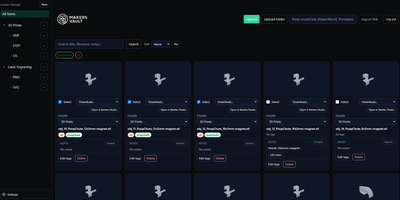
MakersVault gives your scattered 3D print files and creative artwork one searchable home, so you stop loading models into a slicer just to remember what they are. You create folders and subfolders for projects, then drag and drop single files, batches, or whole folders straight into the library from your browser. Every model tile carries a rendered preview, and double-clicking opens an interactive 3D view you can rotate and inspect before downloading anything. Tags attach to any file, batch tagging covers many selected models at once, and tag tabs plus sorting by name, size, type, or folder keep large collections browsable. Notes on individual files record print settings, filament choices, or assembly reminders right beside the model they describe. Imports pull models directly from MakerWorld, Thingiverse, and Printables links, and zip archives prompt you to keep only the files you actually want. Supporting documents ride along with each model and travel inside its ZIP downloads, and prepared print data surfaces printer, material, nozzle, and time estimates on the card. The Open in Slicer button hands a model to your configured slicer through the desktop bridge, and themes from light and dark to neon accents restyle the whole workspace. Running on a dedicated VPS on RepoCloud with guaranteed CPU, RAM, and SSD, full root SSH access, and a browser serial console. MIT licensed.
Steward
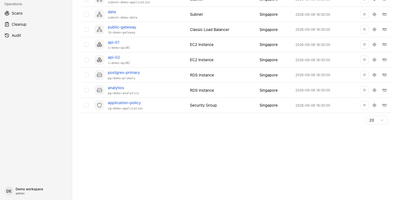
Every cloud account grows the same way: a test instance nobody shut down, a storage bucket from a migration two years ago, a database whose owner left the company. Steward walks all four of your clouds, AWS, Alibaba Cloud, Google Cloud and Microsoft Azure, and writes down what is actually running in one inventory you can search instead of four consoles you half remember. The point is not the list, it is what the list connects to: open any resource and see its relationships, which services depend on it, what shares its network, what breaks if it disappears. Cleanup stops being a leap of faith, because every candidate deletion is reviewed against that dependency map first, showing the impact before execution and following the result of each action afterwards. Scheduled scans keep the picture honest without you remembering to look, reporting exactly which resources each scan added, removed or modified, and pinging Slack, Feishu, DingTalk or WeCom when a scan fails. Connect accounts, including through OIDC, run the first sweep, and the orphaned, idle and forgotten start standing out from the infrastructure you actually need. It runs as a single executable with the web console and database built in, under systemd on your server, behind your HTTPS proxy with token sign-in. Running on a dedicated VPS on RepoCloud with guaranteed CPU, RAM, and SSD, full root SSH access, and a browser serial console. Apache-2.0 licensed.
Codever
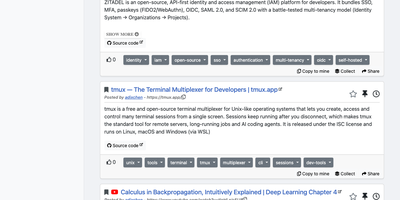
Every developer has a graveyard of browser tabs, chat messages, and stray text files holding links and code worth keeping; Codever replaces the graveyard with a bookmarks, notes, and snippets manager designed for developer workflows. Save a page in two clicks from Chrome or Firefox, drop selected text in as a snippet or note, or use the bookmarklet in any other browser, with title, description, and tags prefilled for you. From IntelliJ IDEA and Visual Studio Code you can push code straight into your library and pull it back without switching to the browser. Bookmarks carry descriptions and tags, and Pinned and Read Later lists sit beside your history so rediscovery takes seconds. Notes are written in Markdown and render with math, tables, and inline code, while snippets keep reusable code one search away with its context attached. Full text search spans bookmarks, notes, and snippets at once, with Brave, Google, Stack Overflow, and Bing one click away when the library comes up empty. Entries can be public, copied into your own collection, or gathered into curated sets for a team or topic. Accounts sign in through Keycloak with GitHub, Google, GitLab, or Stack Overflow, so a self-hosted instance fits the identity setup your team already uses. Running on a dedicated VPS on RepoCloud with guaranteed CPU, RAM, and SSD, full root SSH access, and a browser serial console. MIT licensed.

Ziit
Ziit tracks where your coding hours actually go and shows the answer in a dashboard you host yourself. Install the extension in VS Code, any of its forks, or a JetBrains IDE, and every editing session streams to your instance with its project, language, editor, file, branch, and operating system attached. The dashboard filters by time range and breaks your work down by project and language, so a week of effort becomes a readable chart instead of a vague memory. You sign in with GitHub or email and password, import existing history from WakaTime or a WakAPI instance, and keep building on years of data instead of starting over. README badges embed live coding time for a project into any repository page, turning your profile into a quiet proof of work. A public stats page summarizes the whole instance, and a public leaderboard ranks who logged the most coding hours, which makes self-hosted instances double as community scoreboards. Because the server, the database, and the extensions are all yours, no third-party service sees which files you opened or how long a private project took. Teams can run one instance for everyone and compare effort across projects with the same filters. Running on a dedicated VPS on RepoCloud with guaranteed CPU, RAM, and SSD, full root SSH access, and a browser serial console. AGPL-3.0 licensed.
Eclipse Hono
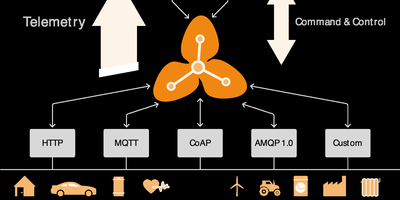
Eclipse Hono is an IoT connectivity platform that sits between device fleets and business applications, accepting connections over MQTT, HTTP, AMQP 1.0, and CoAP adapters and normalizing everything into uniform telemetry and event streams. Devices authenticate against a central registry of tenants and credentials, with X.509 client certificates, pre-shared keys, or automatic provisioning for zero-touch onboarding. Applications consume normalized data from Apache Kafka or an AMQP 1.0 messaging network, choosing per tenant which backbone carries its traffic, and send commands back down to devices through the same platform with delivery feedback. Resource limits cap how much data each tenant's devices may move, keeping one noisy fleet from crowding out the rest, while metrics and tracing follow every message hop. The 2.7 release adds preliminary MQTT 5 support with corrected connect reason codes, message tracing logs, and a hardened JDBC device registry backed by PostgreSQL for production tenant and credential management. Protocol adapters scale horizontally as stateless services, so capacity grows by adding instances behind a load balancer. Running on a dedicated VPS on RepoCloud with guaranteed CPU, RAM, and SSD, full root SSH access, and a browser serial console. EPL-2.0 licensed.
JobSpy API
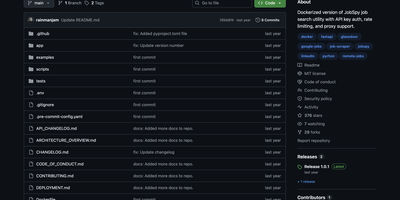
JobSpy API turns seven major job boards into a single REST endpoint, aggregating listings from LinkedIn, Indeed, Glassdoor, Google Jobs, ZipRecruiter, Bayt, and Naukri through one GET request. Built on FastAPI with the Python JobSpy scraping library, the API returns structured JSON or downloadable CSV containing job titles, companies, locations, salaries, descriptions, posting dates, and direct application URLs. Filters cover search terms, location, distance radius, job type (full-time, part-time, contract, internship), remote status, hours since posting, country, and salary range. Interactive Swagger UI and ReDoc interfaces provide try-it-now functionality for testing queries directly in the browser. Security includes x-api-key header authentication with configurable rotation, per-endpoint rate limiting with adjustable thresholds, and response caching with configurable TTL to reduce redundant scraping. Global proxy support routes outbound requests through HTTP/HTTPS proxies to avoid IP-based rate limiting from job boards. Environment variables control everything from default search parameters and logging levels to CORS origins and documentation paths. Health check and ping endpoints integrate with uptime monitoring services. Docker Compose exposes the API on a configurable port. MIT licensed.

Ambry
Ambry is a personal audiobook streaming server that keeps a collection you own on hardware you control, ready to stream to any browser or phone. Upload your audiobook files once, and the library becomes streamable to any device through a browser or the native mobile application. The server reads durations, tags, and chapter markers straight from the audio files, so a long novel arrives with its structure intact instead of as one anonymous ten-hour blob, and the original files are served untouched. First boot walks you through creating the initial administrator account, after which the instance restarts ready for listening. Households can open registration to family members or close it entirely, keeping the library an invitation-only shelf. Forgotten passwords and registration messages go out through the configured mail provider, so account recovery works without manual intervention. The collection itself lives in PostgreSQL with uploads on a persistent volume, and the whole service runs from a container image on a configurable port. Put a commute listen on your phone, a history title on a kitchen tablet, and a shared family library behind one address, all served from hardware you control. Running on a dedicated VPS on RepoCloud with guaranteed CPU, RAM, and SSD, full root SSH access, and a browser serial console. MIT licensed.
Astuto
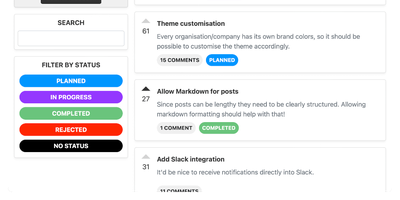
Feature requests, bug reports, upvotes, and a public roadmap: Astuto (Ruby on Rails backend, React frontend) gives users a Canny-style feedback portal so product decisions rest on visible demand rather than the loudest voice in the room. Feedback organizes into as many boards as you want (features, bugs, integrations), each post carrying a custom status you define - "planned," "in progress," "shipped," or whatever matches your process - and those statuses feed a public roadmap view showing users what is actually being worked on. Participation friction is adjustable at both ends: sign-in works with plain email or any OAuth2 provider, anonymous feedback can be enabled for unregistered users, and a moderation queue lets you approve posts before they appear when spam is a concern. Integration hooks are practical rather than sprawling - webhooks fire on events to connect Jira, Trello, or Slack, and a REST API manages the whole feedback space programmatically. Brand customization, an invitation system, private-site settings, and recap emails for administrators complete a deliberately minimal tool: it collects, organizes, and prioritizes feedback well, for free, forever.
HomeLabInfo
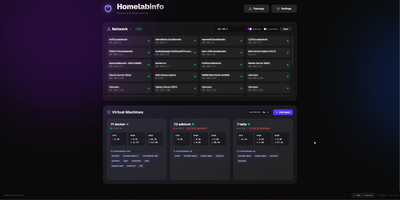
HomeLabInfo gives your homelab one dashboard where the network itself and everything running on it finally appear together, instead of scattered across router pages and terminal sessions. It watches for new devices the instant they ask the network for an address, identifies who made them, and can fire a webhook so you hear about a stranger joining your LAN before you notice it yourself. Scans keep track of which devices are online and which have gone quiet, and the interactive topology view lets you arrange the map of switches, access points, NAS boxes, and servers the way your rack actually looks. Lightweight agents installed on each machine report their containers back to the hub, so running and stopped containers, uptime, health, and host CPU, memory, and disk all show in one place without opening a separate tool per server. When an agent falls behind, its card tells you a newer version exists instead of leaving you guessing. You can add a username and password login before putting the dashboard anywhere beyond your desk, and arrange container layouts that stay put between visits. Running on a dedicated VPS on RepoCloud with guaranteed CPU, RAM, and SSD, full root SSH access, and a browser serial console. GPL-3.0 licensed.
WikiDocs
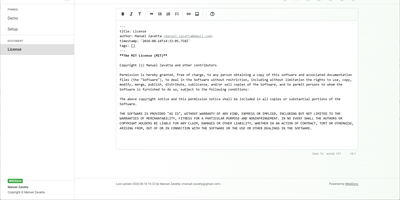
Write your knowledge as plain Markdown files, and WikiDocs turns the folder into a searchable, versioned wiki with no database to set up or back up. Pages carry YAML front matter, so the whole wiki can be copied, archived, or opened in any text editor. An editor with a formatting toolbar handles headings, lists, task lists, links, and images, and pictures can be pasted straight from the clipboard. Math is typeset with KaTeX, Mermaid renders diagrams such as ER models and mind maps, and code blocks get syntax highlighting. Every save keeps a revision, a versions dialog lists them, and deleted pages wait in a trash where they can be restored or erased. Attachments upload and download from any page, namespaces build a page tree in the sidebar with pinned pages on top, and full-text search highlights every match. Public mode publishes a read-only knowledge base, private mode requires sign-in, and administrator and user accounts are managed in the app. Settings cover the wiki title, owner notice, privacy banner, language, timezone, light or dark template, and accent color, and every page has a print button. A desktop app keeps files on your computer and syncs with your self-hosted instance, while a REST API with Swagger documentation lets other tools read and write pages. Running on a dedicated VPS on RepoCloud with guaranteed CPU, RAM, and SSD, full root SSH access, and a browser serial console. MIT licensed.
ScribeWizard
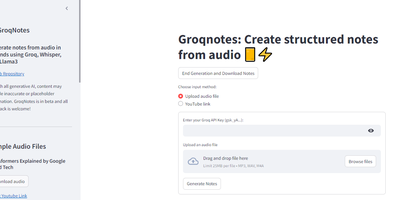
Audio lectures become structured, Markdown-formatted notes in about a minute with ScribeWizard (also known as GroqNotes). Upload an MP3, WAV, or M4A file - or paste a YouTube link - and the app runs a three-stage pipeline on Groq's LPU inference hardware: Whisper Large v3 transcribes the audio, a larger Llama model drafts a comprehensive outline of the material, and a faster Llama model fills each section with detailed content. This scaffolded prompting strategy is the core idea: the strong model handles structure where quality matters most, the fast model handles volume, and Groq's 1200+ tokens-per-second inference keeps the whole process near real time. Output renders as clean Markdown with support for tables and code blocks, and finished notes download as text or PDF. Model selection is configurable - swap in other Groq-hosted open models like Mixtral or Gemma to trade speed against quality or work around rate limits. Built as a single Streamlit app by Benjamin Klieger at Groq, it needs only a Groq API key to run, making it one of the simplest self-hosted AI tools to operate.