Open Source App Cloud Marketplace
Deploy, host, and scale with one click, at half the cost. Then customize with AI agents.
ComposeToolbox
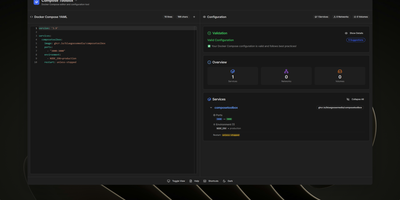
To eliminate YAML indentation errors and cryptic container misconfigurations before running docker compose up, ComposeToolbox pairs a full-featured code editor with a live configuration analyzer in a single self-hostable web workspace. Paste or write any docker-compose.yml file in the left pane to see immediate syntax validation alongside actionable best-practice warnings, such as unpinned latest image tags, missing healthchecks, or deprecated version declarations. On the right side, an interactive Configuration Overview breaks down every defined service, exposed port mapping, persistent volume mount, environment variable, and custom network into structured tabs. Built-in Quick Insert buttons let operators drop new service blocks, volume definitions, or network stanzas into the editor with one click. By mounting the persistent /app/data directory, administrators can define custom quick-insert YAML snippets with selectable hardware and networking icons in custom-templates.yml. Teams can also customize startup-template.yml so the editor opens with their organization's standard homelab or production boilerplate every time the page loads. Keyboard shortcuts, light and dark themes, and one-click YAML formatting or file export streamline daily container authoring. Running on a dedicated VPS on RepoCloud with guaranteed CPU, RAM, and SSD, full root SSH access, and a browser serial console. MIT licensed.
PRISM
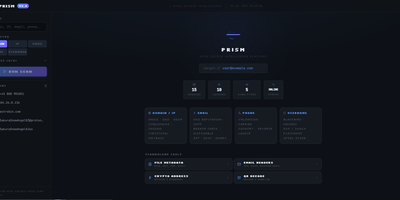
PRISM consolidates passive reconnaissance, credential leak detection, and network asset mapping into a unified operational dashboard to replace fragmented command-line security tools. Analysts can launch simultaneous multi-source investigations against domains, internet protocol addresses, email mailboxes, phone numbers, and online handles to uncover domain registrations, open network ports, cryptographic certificates, and historical web archives. The platform interrogates threat feeds and leak repositories to expose credential leaks, dark web mirrors, and email routing anomalies with automated SMTP mailbox verification. Cross-platform identity engines crawl thousands of social networks and public registries to correlate aliases, discover leaked commit identities, and trace digital footprints across the web. Discovered assets render into interactive entity relationship graphs alongside geographic internet protocol maps to help investigators visualize infrastructure clusters and ownership links. An automated operational security calculator evaluates exposure vulnerabilities across identity, web, and infrastructure vectors, producing an aggregated risk score with granular hardening recommendations. Scheduled watchlists continually monitor target infrastructure, dispatching webhook notifications to chat channels whenever new subdomains, ports, or credential leaks appear. Investigators can export comprehensive audit dossiers as self-contained HTML files, styled PDF documents, or structured spreadsheets. Running on a dedicated VPS on RepoCloud with guaranteed CPU, RAM, and SSD, full root SSH access, and a browser serial console. MIT licensed.
Statping-ng
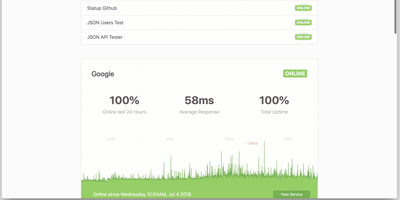
A status page and uptime monitor in one Go binary: Statping-ng - the actively maintained fork of Statping - replaces the UptimeRobot-plus-Statuspage combo with a ~20 MB Docker image using under 50 MB of RAM. It checks services over HTTP, TCP, UDP, ICMP ping, and gRPC health checks on configurable intervals, with per-service timeouts, expected status codes, POST requests with custom JSON bodies, SSL verification, and failure thresholds before alerting. The public status page is the differentiator against plain monitors: visitors see live status, uptime percentages, and latency charts grouped into service categories, with incident announcements and scheduled-maintenance messages you publish from the dashboard - and Sass-based custom styling matches the page to your brand rather than a vendor template. When something fails, notifiers fire immediately: Slack, Discord, Telegram, SMTP email, PagerDuty, Twilio SMS, Pushover, and custom webhooks, each testable before saving. Because notifiers are single Go files, the plugin system makes new channels straightforward. A RESTful API manages services and reads uptime data programmatically, and the free Statping mobile app connects to your server via QR code for on-the-go monitoring. Data persists to SQLite, MySQL, or PostgreSQL. Point it at internal services too - anything the container can reach is monitorable.
Fynt
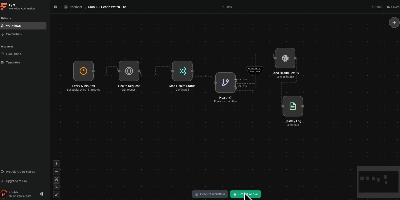
A clean alternative to n8n and Zapier that puts AI-native workflows front and center, Fynt is the MIT-licensed workflow automation platform where you drag nodes onto a React Flow canvas, wire them together with typed connections, and let a distributed BullMQ engine execute them — with every step streamed live to your browser over WebSockets so you never wonder what happened inside a run. The node library spans triggers (manual, webhook, cron scheduling), AI providers (OpenAI, Anthropic, and Gemini with structured output parsing), service integrations (GitHub webhooks, Notion databases, Slack channels, Discord bots, arbitrary HTTP endpoints), logic gates (conditional branching, filtering, data transformation), and utility nodes (delay, logging, payload mapping). The execution architecture separates concerns across three services: a Next.js 16 web application serving the React 19 workflow builder and tRPC API, a BullMQ worker processing jobs with node-level retries and checkpointing for crash-safe execution, and a dedicated WebSocket relay server broadcasting real-time run events via Redis Pub/Sub. All stored credentials are encrypted at rest using AES-256-GCM with per-credential initialization vectors. The full-stack deploys as a single Docker Compose stack (web, worker, realtime, PostgreSQL, Redis) or individually via pnpm workspaces in a Turborepo monorepo. Authentication is handled through better-auth with configurable OAuth providers. Running on a dedicated VPS on RepoCloud with guaranteed CPU, RAM, and SSD, full root SSH access, and a browser serial console. MIT licensed.
Dock-Dploy
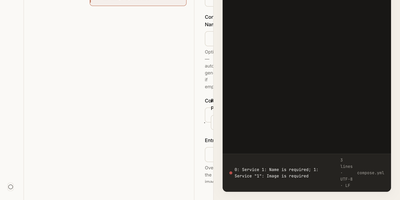
Visual drag-and-drop assembly replaces manual text editing in Dock-Dploy, a Docker Compose builder and configuration management suite that turns complex multi-service container topologies into validated YAML manifests. DevOps engineers and self-hosters can visually assemble application stacks by selecting container base images, defining healthcheck probes, mapping bridge networks, and assigning persistent volume mounts through a reactive web interface. An integrated marketplace catalog allows teams to search, preview, and import battle-tested templates for services like PostgreSQL, Redis, and Nginx with one click. Real-time Zod schema validation inspects every service parameter as you type, flagging port collisions, missing environment variables, and malformed volume syntax before deployment. A split-screen CodeMirror editor provides continuous synchronization between graphic form fields and generated YAML definitions with automatic code sanitization and clipboard exports. Beyond Compose stacks, operators can design blueprint templates, generate reverse proxy routing profiles, and assemble recurring cron schedules for automated backup and maintenance routines. Running on a dedicated VPS on RepoCloud with guaranteed CPU, RAM, and SSD, full root SSH access, and a browser serial console. AGPL-3.0 licensed.
Silicon Notes
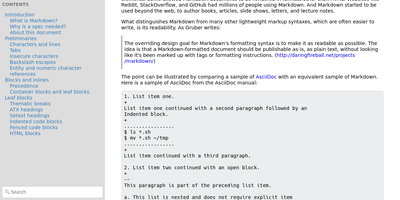
"Somewhat lightweight, low-friction" is how Silicon Notes' author describes the personal knowledge base - written after DokuWiki's editor "drove me mad" and no existing wiki quite fit. The philosophy is that small frequent annoyances compound into cognitive load with no return, so everything here is optimized for frictionless daily use. Notes are written in plaintext Markdown and rendered as clean HTML with Pygments syntax highlighting for code blocks; pages get bi-directional relationships (backlinks), so the knowledge base becomes a connected web rather than a folder tree; and full-text plus title search retrieves anything fast. A table of contents lives in the left sidebar - "where it belongs" - editable while you read without scrolling away. Page history tracks revisions for auditing and rollback, JSON export/import keeps everything portable, and the mobile layout is genuinely usable. The stack is deliberately minimal: Python and Flask with Mistune for Markdown and SQLite for storage - no big frameworks, just a few small dependencies. One honest caveat: there is no built-in authentication, so deploy it behind a VPN, private network, or reverse-proxy auth layer. For a solo engineer's brain, it is exactly enough.
Atlantis Diagrams
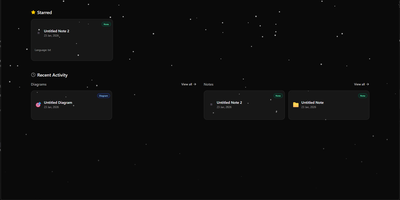
Technical teams frequently struggle to keep software architecture diagrams synchronized with evolving codebases and documentation repositories. Atlantis Diagrams delivers a unified self-hosted workspace that couples code-driven Mermaid.js diagramming with structured Markdown knowledge bases in a responsive web interface. Engineers can compose flowcharts, sequence diagrams, state machines, entity-relationship models, and Gantt schedules using split-view CodeMirror editors with real-time SVG rendering. An integrated version history tracker automatically captures revision checkpoints across the last 15 document states, letting authors compare modifications and restore previous iterations without data loss. The linked notes environment supports rich Markdown editing, LaTeX mathematical formulas, interactive task checklists, tag indexing, and full-text keyword searches across personal documentation libraries. Canvas controls allow users to pan, zoom, inspect individual nodes, and export finalized graphics directly into vector SVG, high-resolution PNG, or printable PDF documents. Storage engines adapt to deployment scale, running on zero-configuration SQLite databases out of the box with optional PostgreSQL, MySQL, and Redis caching layers for high-concurrency environments. Running on a dedicated VPS on RepoCloud with guaranteed CPU, RAM, and SSD, full root SSH access, and a browser serial console. MIT licensed.
Chief-Onboarding
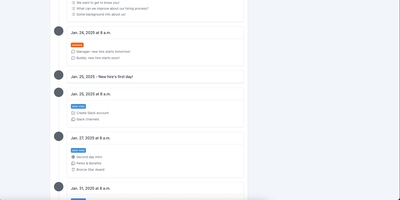
New hires fail from information overload and IT bottlenecks, not lack of goodwill - the observation behind ChiefOnboarding, a free, open-source employee onboarding platform (Django, Celery, PostgreSQL, Redis). Its answer is sequences - drag-and-drop timelines that drip-feed to-do items, resources, courses, forms, and badges to each new hire, triggered by dates or by completing a previous item, so nobody faces everything at once. Onboarding starts before day one: preboarding pages welcome hires early, and colleagues can leave personal messages that appear there. The account provisioning module creates the new hire's Slack, Google, Asana, and other accounts automatically on the scheduled day via a library of integrations plus custom webhooks - the IT ticket queue never gets involved. Everything works through two equivalent interfaces: a full web dashboard and a Slack bot, either usable standalone. Slack can even auto-create new hire accounts when someone joins the workspace and assign default sequences with zero manual action. Colleague tasks with comments and collaboration, a searchable people directory, scheduled introductions, and per-hire timezone awareness (no 3 a.m. notifications) round it out. No trackers, no phoning home - third-party credentials sit in encrypted fields on your server.
Animockup
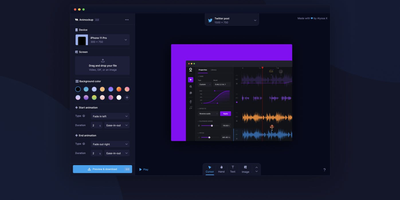
Product Hunt's Maker of the Year: Animockup delivers an alternative to expensive motion graphics tools for creating animated product teaser videos entirely in the browser. The FabricJS canvas engine provides a fully interactive editing surface where you import product videos or screenshots, place them inside device mockups ranging from iPhones and MacBooks to browser windows and smartwatches, and customize everything from background gradients to overlay text positioning. Anime.js powers the animation system with configurable start and end transitions, easing curves, and duration controls that produce smooth entrance and exit effects without timeline editors or keyframe knowledge. The built-in FFMPEG.wasm pipeline handles all video processing client-side — no server-side rendering required — exporting finished teasers to WebM, MP4, or GIF at custom framerates and resolutions up to 4K. The crop and reposition tool lets you precisely fit product footage into any device screen regardless of aspect ratio differences. Twenty-plus device frames cover phones, tablets, laptops, desktops, watches, and generic browser windows for maximum versatility. Firebase authentication handles user sessions while the optional Paddle integration manages subscriptions — or remove both for a fully free deployment. Self-hosting requires only a static web server with optional PHP for the payment webhook endpoint. Running on a dedicated VPS on RepoCloud with guaranteed CPU, RAM, and SSD, full root SSH access, and a browser serial console. MIT licensed.
Shelve
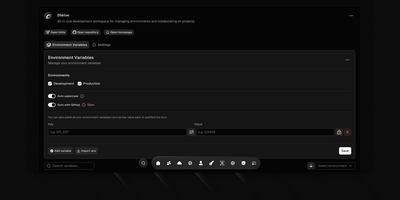
Eliminate scattered configuration files and leaked credentials across development teams with Shelve, an open-source secrets management platform that secures environment variables across development, staging, and production tiers. Engineering teams can organize sensitive database passwords and third-party API credentials within a centralized vault protected by AES-256 encryption and SHA-256 integrity verification. The platform synchronizes configurations directly to GitHub Actions and repository secret stores through an official GitHub App integration. Developers can inject encrypted variables directly into local processes using the dedicated CLI without saving plain-text secrets to disk. The built-in sharing vault creates self-destructing, password-protected links to exchange sensitive credentials securely with external contractors. Administrators can define custom workspace teams with granular role-based access controls, track change audit logs across configuration histories, and navigate management views using a keyboard-driven command palette. Automated schema validation engines detect missing parameters and enforce uniform uppercase naming standards across application tiers. Running on a dedicated VPS on RepoCloud with guaranteed CPU, RAM, and SSD, full root SSH access, and a browser serial console. Apache 2.0 licensed.

Hammond
When Clarkson, the once-popular fuel logger, stopped receiving updates, Hammond stepped in as its logical successor - a self-hosted vehicle expense tracker. Written in Go with a Vue.js interface and SQLite storage - a single lightweight container, no external database - it tracks every cost your vehicles generate: fuel fill-ups with cost, volume, and odometer readings; maintenance and repairs; and arbitrary other expenses, each attachable with photos and documents stored against the vehicle. The multi-user, multi-vehicle design is what sets it apart from phone apps: a household or small business adds all its vehicles and all its drivers, shares vehicles across users, and every fill-up lands in one ledger no matter who was driving. The Quick Entries feature respects how expenses actually happen - snap a photo of the receipt or pump screen at the gas station, then complete the structured entry later when you have a minute. Reporting works at both the vehicle level (cost per distance, fuel economy trends) and across the whole fleet. Migration matters here: importers for Clarkson, Fuelly, and Drivvo bring years of fill-up history along, so switching does not mean starting your data over.
ShipShipShip
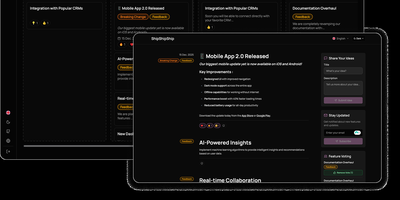
Keeping users informed about software releases while gathering community feedback on upcoming roadmap items becomes effortless with ShipShipShip, a self-hosted changelog, release notes, and feature voting platform. Product managers can draft rich release announcements using a formatting editor that supports Markdown, embedded media uploads, color-coded category tags, and exact publication timestamps. Instead of juggling disconnected feedback spreadsheets, teams organize backlog proposals, active development tasks, and shipped updates across a drag-and-drop Kanban board or a filterable list view. Visitors browsing the public roadmap can upvote proposed features to help prioritize the next sprint and react to announcements using eight expressive emoji reactions. When an item moves into a shipped status, the built-in newsletter engine automatically dispatches formatted release emails over SMTP to subscribers using customizable per-event templates and one-click unsubscribe links. Design-conscious organizations can install manifest-driven public themes, map internal workflow statuses to public roadmap columns, and tailor brand colors and logos. International audiences can navigate the interface in seven languages, including full right-to-left layout support, while engineering teams automate event creation through the REST API. Running on a dedicated VPS on RepoCloud with guaranteed CPU, RAM, and SSD, full root SSH access, and a browser serial console. Apache-2.0 licensed.

DumbPad
With a deliberately minimalist design philosophy and zero database dependencies, DumbPad delivers a self-hosted notepad that stores notes as plain text files with real-time auto-saving every 10 seconds and keyboard-shortcut manual saves. The Node.js Express backend serves a vanilla JavaScript frontend that supports multiple named notepads with direct URL linking and shareable links for instant access to specific notes. The split-view editor displays markdown source on the left and rendered preview on the right with a draggable resize handle, while the full preview mode renders complete markdown with GitHub-style alert blocks for Note, Tip, Important, Warning, and Caution callouts, extended table formatting, fenced code blocks with syntax highlighting via highlight.js covering approximately 180 programming languages, collapsible details sections, and checklist support. Fuzzy search matches across both filenames and file contents for fast navigation across large collections. Optional PIN protection secures access with configurable 4 to 10 digit codes, constant-time comparison to prevent timing attacks, brute force lockout after 5 failed attempts with 15-minute cooldown, and IP-based tracking. The Docker container runs as non-root UID 1000 by default with multi-architecture support, CORS origin restrictions for reverse proxy deployments, and persistent data volumes. Notes can be downloaded as text or markdown files, printed with auto-expanded collapsible sections, and imported by placing text files directly into the data directory. On RepoCloud, deploy DumbPad on a dedicated VPS with Docker, root SSH access, and complete control over your note-taking infrastructure, all under the GPL-3.0 license.
Oxigen
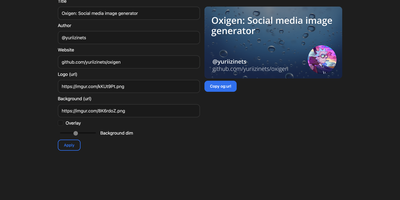
The social preview cards shown when links hit Twitter, LinkedIn, Slack, or Discord, generated on the fly: Oxigen is a small Go service for dynamic Open Graph images, no designer required per page. Instead of exporting static images per page, you compose a card once and drive it with parameters: title, author, website, logo, background image, and background dimming all arrive as URL query arguments, so your og:image meta tag simply points at the Oxigen endpoint with the page's own values substituted in. Every blog post, product page, and doc gets a branded, correctly sized preview generated on the fly. A built-in web UI covers interactive composition - tweak the text and imagery, watch the preview update, copy the resulting URL - while the same rendering path serves programmatic API use from static site generators, CMS templates, or build pipelines. Rendering is pure Go using the gg 2D graphics library, freetype fonts, and the imaging package, built on the kyoto framework by that project's author. Deployment is one stateless container on port 80 with no database and no external dependencies, so instances scale and restart freely.
BlogFactory
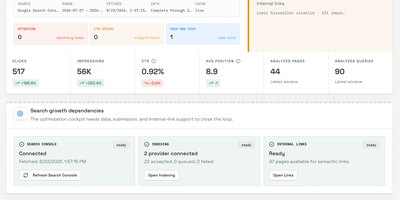
BlogFactory is the first open-source agent control plane purpose-built for multi-site content operations, shipping 16 distinct capabilities across four operational pillars — Operate, Grow, Control, and Deliver — in its v0.1.0 release. The platform keeps source evidence, AI-generated drafts, revisions, SEO metadata, human review, preflight checks, and CMS delivery destinations in one workspace while enforcing a server-side authority ceiling that prevents agents from ever publishing live content, accessing credentials, or performing administrative actions. AI agents connect through a Streamable HTTP MCP endpoint with OAuth authentication and site-scoped tool discovery, compatible with Codex, ChatGPT, and any MCP-capable client. Content creation supports single articles from keywords, titles, URLs, PDFs, text, or YouTube sources, batch campaigns, and programmatic content via reusable templates with structured data rows. The Search Growth module connects Google Search Console complete-day data to ranked optimization opportunities, 30-day growth plans, content classification by signal type (growing, low-CTR, almost-ranking, page-two, zero-click), indexing checks, and semantic internal-link suggestions. Brand Voice separates global voice rules, writer profiles, knowledge context, and brand guidelines from article mechanics. Approved drafts are delivered as CMS drafts to WordPress, Ghost, Wix, or Framer through idempotent, optimistic-locking-protected handoffs with explicit destination selection and preflight validation. The stack runs on React/Vite, a Hono/TypeScript API, PostgreSQL, and MinIO via Docker Compose, with providers including OpenRouter, OpenAI, and Google services under a bring-your-own-AI model. Running on a dedicated VPS on RepoCloud with guaranteed CPU, RAM, and SSD, full root SSH access, and a browser serial console. AGPL-3.0 licensed.
LLemonStack
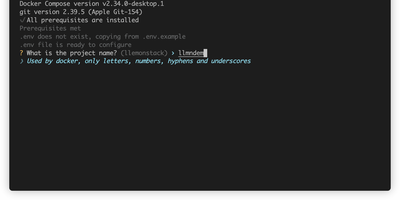
One CLI command deploys a complete AI development environment: n8n, Flowise, Supabase, Ollama, Qdrant, LiteLLM, Langfuse, Open WebUI, LightRAG, Browser-Use, Firecrawl, Crawl4AI, and more, all pre-wired with networking, credentials, and database connections. LLemonStack eliminates the hours of Docker Compose configuration that typically precede any local AI agent project. The llmn CLI initializes isolated project environments with auto-generated secure credentials, starts services in dependency order (databases first, then middleware, then apps), and displays a dashboard showing every service URL and access token. n8n brings 400+ workflow integrations, Flowise provides visual agent building, Ollama runs local LLMs like Llama and Mistral, Qdrant stores vectors at high performance, Open WebUI offers ChatGPT-style model interaction, and LiteLLM proxies requests to any provider with cost tracking. Langfuse automatically logs traces for every LiteLLM query, providing full observability. Each project maintains isolated Postgres schemas preventing data collision across parallel stacks. Firecrawl and Crawl4AI extract web content into LLM-ready formats for RAG pipelines feeding LightRAG or Qdrant. Dozzle streams live container logs for debugging. Import/export tooling migrates workflows between projects with automatic credential reconfiguration. Running on a dedicated VPS on RepoCloud with guaranteed CPU, RAM, and SSD, full root SSH access, and a browser serial console. AGPL-3.0 licensed.
Nanote
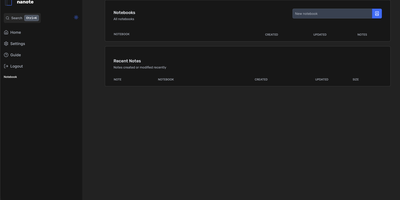
100% portability is Nanote's one non-negotiable principle as a self-hosted note-taking app. There is no database - notebooks are plain folders and notes are plain Markdown files on your filesystem, so the same notes remain fully manageable from a terminal, Notepad, or any other editor, and walking away from Nanote costs nothing because your data was never in a proprietary format to begin with. Built with Nuxt and TypeScript around the Milkdown editor, it layers modern conveniences on that plain-file foundation: fast content search across all notes using OS-optimized tooling (ugrep), native Markdown rendering, image and file attachments, and a mobile-friendly layout for reading and editing on a phone. Clever remark directives make plain text interactive - typing ::file inserts an inline upload picker, while ::today, ::now, and ::tomorrow expand to live dates and times. A fully typed REST API with validation covers automation, and access is protected by a configurable secret key. Deployment is one container with three env vars: paths for notes, uploads, and config, all bind-mountable so your Markdown lives wherever you want it - including inside an existing sync setup. AGPL-licensed and actively daily-driven by its author.
Hiccup
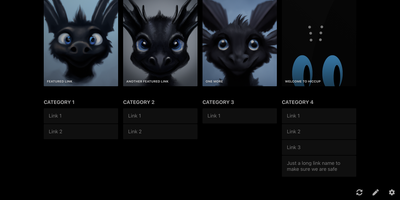
"Get to your most important links, FAST" - Hiccup's README states its whole mission in that one line, and the static start page delivers it. It is a client-side React single-page app - no backend, no database, no accounts - driven entirely by a config.json that defines featured link cards, categorized sections, and search providers. The search bar is the power feature: it queries your own links by name, URL, and tag while simultaneously offering external providers like Google, DuckDuckGo, and Amazon (plus custom URL-template providers you define), with arrow-key navigation and Enter to launch, so muscle memory replaces mousing. Editing happens in the browser - drag and drop links and background images, tweak cards in edit mode - with changes persisting to localStorage; a built-in config manager exports the JSON for hosting, and remote profile loading pulls a shared config across every browser and device you use. Multiple profiles keep home-server, work, and dev-tool link sets separate. PWA support installs it on a phone home screen, caching strategies keep it fast offline, read-only mode suits kiosk displays, and Cmd/Ctrl+/ reveals the full hotkey reference. Serve it from any static host and point your new tab at it.