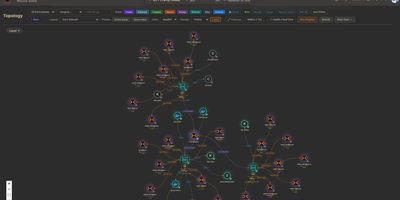
Circuit Breaker
Mapping every physical server, virtual machine, container, and network link across a sprawling homelab into a live interactive canvas, Circuit Breaker gives infrastructure operators real-time topology visualization, IP address management, and rack elevation modeling on a single screen. Operators can switch between hierarchical, concentric, cortex ring, radial, and force-directed graph layouts where animated edges reflect link speeds and color-coded status rings display live hardware health. Automated discovery scans local subnets using nmap, SNMP, and ARP while querying Proxmox VE clusters, TrueNAS storage pools, and UniFi controllers, staging newly detected nodes in a review queue before adding them to the map. For multi-site labs or isolated VLANs, lightweight remote agents connect outbound over Noise-encrypted links after fingerprint approval to report host telemetry and run scoped network scans without opening inbound firewall ports. Rack diagrams let administrators drag servers into U slots with cabling overlays using a built-in catalog covering Dell, HPE, Supermicro, Ubiquiti, MikroTik, Synology, and APC gear alongside live iDRAC, iLO, and UPS metrics. Role-based access control, OIDC single sign-on, TOTP multi-factor authentication, encrypted full-state snapshots, and a SHA-256 hash-chained audit log keep multi-user operations accountable. Running on a dedicated VPS on RepoCloud with guaranteed CPU, RAM, and SSD, full root SSH access, and a browser serial console. MIT licensed.
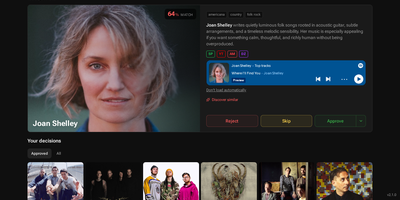
Digarr
Your next favorite record is hiding in your listening history, and Digarr is the self-hosted discovery engine that finds it, scores it, and queues it for your library. Connect ListenBrainz, Last.fm, Spotify, Deezer, Discogs, or your Plex, Jellyfin, Emby, or Subsonic server, and Digarr builds a taste profile from what you actually play. An AI provider you choose, from Anthropic, OpenAI, and Gemini to a local Ollama model, proposes candidates, and a weighted scoring system ranks them by consensus, similarity, genre overlap, and your past feedback. Every suggestion lands in a review queue where you can preview tracks, approve, reject, or permanently block artists before anything touches your collection. Approve an artist and Digarr adds them to Lidarr with your quality profile, queues the release in slskd, or exports a playlist to Spotify, Navidrome, Jellyfin, Emby, or Plex. Album-level discovery runs on its own: Release Radar catches new releases from artists you follow, Library Gap-Fill surfaces the studio albums you are missing, and scheduled subscriptions keep fresh candidates flowing in without you lifting a finger. Share the instance with family or friends, each with their own queue and connections, protected by local accounts or OIDC single sign-on, and get notified through webhooks, ntfy, Telegram, or Apprise when new picks arrive. Running on a dedicated VPS on RepoCloud with guaranteed CPU, RAM, and SSD, full root SSH access, and a browser serial console. MIT licensed.
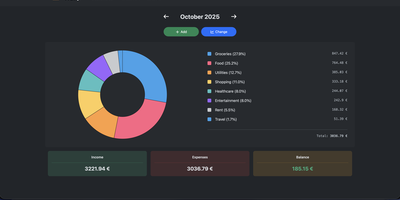
Wally
Started as an ExpenseOwl-inspired project, Wally grew into a lightweight, self-hosted expense tracker more capable in every direction its author touched. The backend is Python FastAPI over SQLite, which means every deployment ships a full REST API with interactive documentation at /api/docs - automating imports or wiring in external tools requires no reverse engineering, and when the optional login page is enabled you can mint scoped API keys from the Settings page for token-based integrations. The transactions view is built on AG Grid, bringing real search, column sorting, and per-column filtering to your ledger, with a footer totaling rows, income, and expenses for whatever slice you have filtered. Dashboards go beyond the usual monthly doughnut: a Change button swaps in year-scale line graphs so you can track a single category - restaurants, say - across time. Recurring transactions edit intelligently, letting you apply changes to all instances or only future ones. CSV import and export use a simple six-column format handled from Settings, the refined dark theme is genuinely easy on the eyes, and the interface is translated into more than ten languages. The whole thing runs from one small container with a single data volume.
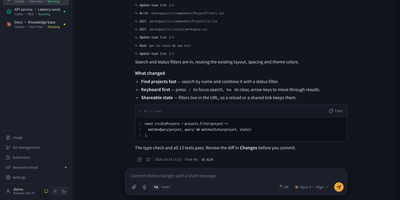
AgentBox
AgentBox is a self-hosted browser workspace that runs Claude Code and Codex CLI on a server you control, so a task goes from chat to reviewed code without leaving one place. Open a workspace from an empty project, an uploaded archive, or a Git clone, then talk to the agent in streaming web chat or drop into its original interactive terminal when you want the CLI itself. Files persist between sessions along with your home configuration and chat history, so a project picked up on a laptop continues on a phone exactly where it stopped. Review per-file diffs line by line before committing, pushing, or opening a pull request, and download the result when no Git connection is configured. Shared files, layered home templates, Claude skills, and MCP configuration carry your setup into every new workspace, with per-workspace overrides when a project differs. A trusted team shares central account pools with per-user scopes, while every model request is recorded with tokens, cache hit rate, cost, and latency, exportable to CSV and optionally capped by credits. An optional tunnel reaches allowlisted repositories and databases on private networks, and six interface styles with light and dark modes keep long sessions comfortable. Running on a dedicated VPS on RepoCloud with guaranteed CPU, RAM, and SSD, full root SSH access, and a browser serial console. Apache-2.0 licensed.
Warpdrive
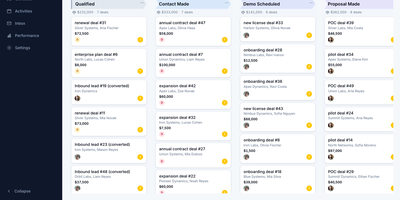
Warpdrive is a self-hosted sales CRM that gives business-development teams the complete Pipedrive workflow, pipelines, deal timelines, and two-way Gmail, on infrastructure they own outright. Drag deals across a Kanban board with custom stages while per-stage weighted totals, rotting-deal warnings, and saved filters keep the forecast honest without a weekly cleanup meeting. Every deal opens into one workspace where activities, notes, files, emails, and the full change history share a single timeline, with participants, followers, labels, and lost reasons attached. People and organizations carry custom fields, firmographics, and org-to-org relationships, and a leads inbox plus CSV import with an undo step keeps new data from corrupting the book. Contact enrichment from Apollo, RocketReach, and GetProspect fills empty people and organization fields, and every enriched value waits behind an explicit review step before it lands. Two-way Gmail sync threads every message onto its deal and contact automatically, and templates, signatures, merge fields, scheduled sends, and open tracking live in the same inbox. Boards, inboxes, and notifications update in real time across the team, while funnel and activity stats show exactly where deals stall and who is carrying the pipeline. An MCP server lets AI assistants query the pipeline and log activity under the same permissions, and role-based access keeps every seat scoped to its own work. Running on a dedicated VPS on RepoCloud with guaranteed CPU, RAM, and SSD, full root SSH access, and a browser serial console. MIT licensed.
ComposeToolbox
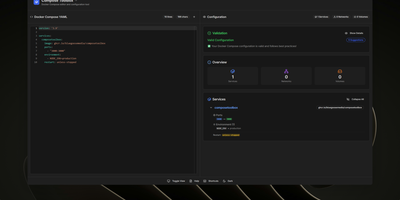
To eliminate YAML indentation errors and cryptic container misconfigurations before running docker compose up, ComposeToolbox pairs a full-featured code editor with a live configuration analyzer in a single self-hostable web workspace. Paste or write any docker-compose.yml file in the left pane to see immediate syntax validation alongside actionable best-practice warnings, such as unpinned latest image tags, missing healthchecks, or deprecated version declarations. On the right side, an interactive Configuration Overview breaks down every defined service, exposed port mapping, persistent volume mount, environment variable, and custom network into structured tabs. Built-in Quick Insert buttons let operators drop new service blocks, volume definitions, or network stanzas into the editor with one click. By mounting the persistent /app/data directory, administrators can define custom quick-insert YAML snippets with selectable hardware and networking icons in custom-templates.yml. Teams can also customize startup-template.yml so the editor opens with their organization's standard homelab or production boilerplate every time the page loads. Keyboard shortcuts, light and dark themes, and one-click YAML formatting or file export streamline daily container authoring. Running on a dedicated VPS on RepoCloud with guaranteed CPU, RAM, and SSD, full root SSH access, and a browser serial console. MIT licensed.
Cupdate
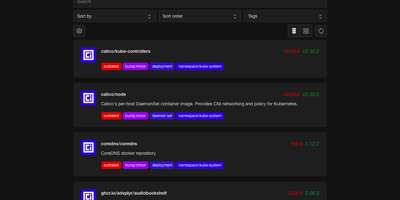
Cupdate keeps a watchful eye on every container image you run, reporting which ones are outdated or vulnerable while deliberately never touching the update button itself. Point it at a Kubernetes cluster, a Docker socket, or Podman hosts (local or remote, one or several) and it inventories every image in use with no configuration to write. Each image is matched against its registry to find the newest available version, and the dashboard shows the gap between what you deployed and what you could be running, with release notes inline so the decision to upgrade takes seconds instead of a changelog hunt. Vulnerability data is layered on top from four sources: Docker Scout for Docker Hub images, Clair for participating Quay images, GitHub Advisories for images tied to repositories, and osv.dev correlation for images shipping SBOMs. A dependency graph explains why each image exists in your stack by showing which workloads pull it, which ends the "can I delete this?" guessing game. Subscribe to the RSS feed to hear about new releases passively, query the REST API to drive scripts that update compose files or kustomizations, or surface outdated and vulnerable counts in a Homepage dashboard widget. Prometheus metrics and traces are available when you want the watcher itself watched. Running on a dedicated VPS on RepoCloud with guaranteed CPU, RAM, and SSD, full root SSH access, and a browser serial console. MIT licensed.
OpenMail
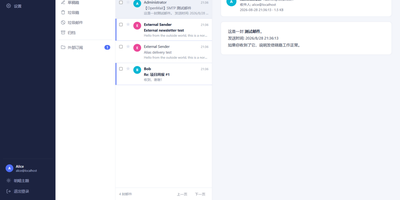
Your entire mail system can live in one self-hosted suite with OpenMail, from SMTP, IMAP, and POP3 delivery to three-pane webmail and the admin console that runs it. Standard clients such as Thunderbird, Apple Mail, and phone apps connect over SMTP ports 25, 587, and 465, IMAP ports 143 and 993, and POP3 ports 110 and 995, while people use the three-pane webmail with folder tree, conversation list, and reading pane at port 3000. You read, write, reply, forward, batch-organize, drag messages between folders, filter stars, search sender, subject, and body text, and follow conversations threaded automatically by their References headers. The rich-text composer autocompletes recipients, accepts dragged attachments and pasted screenshots, saves drafts every 12 seconds, sends on a schedule, and inserts reusable templates imported from HTML or generated with AI. Any OpenAI-compatible endpoint can draft replies, translate mail into twelve languages, and summarize messages, with provider keys encrypted on your server. Administrators get real-time mail statistics with 14-day send and receive trends, user quotas and bans, multi-domain aliases and catch-all addresses, outgoing queue visibility, and audit logs. Adding a domain generates DKIM keys and copy-ready SPF, DKIM, and DMARC DNS records with one-click checks, while rule-based spam scoring, TOTP two-factor authentication, and role-based permissions protect accounts in ten interface languages including right-to-left Arabic and Urdu. Running on a dedicated VPS on RepoCloud with guaranteed CPU, RAM, and SSD, full root SSH access, and a browser serial console. MIT licensed.
Proval
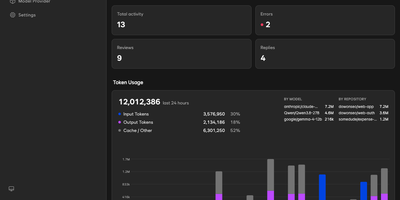
Proval is a self-hosted AI code review agent that reads every pull request on your GitLab, Forgejo, or GitHub server and posts a consolidated, severity-grouped review with inline comments, using a model you run yourself. When a pull request gets a meaningful push, a planning agent groups changed files into review units and dispatches specialist sub-agents in parallel, each exploring the codebase so cross-file issues surface. A writing agent merges their findings into one review, with comments on the affected lines, including multi-line ranges. Reply to any Proval comment and it reads the thread context and answers, and it works on issues too, greeting new ones and answering follow-ups on every message or only when mentioned. Choose per repository whether reviews run on first push only, every push, or not at all, skipping drafts until they are marked ready. Every review, reply, and issue comment is logged with its token usage, so each model's cost shows in the dashboard instead of hiding in an API bill. Your code is never stored; review context goes only to the LLM endpoint you configure, whether that is a cloud API or a local Ollama or llama.cpp server on your own network. Connect GitLab or Forgejo with an access token and webhooks, or GitHub through a GitHub App; Gitea and Codeberg use the same Forgejo-compatible path. Running on a dedicated VPS on RepoCloud with guaranteed CPU, RAM, and SSD, full root SSH access, and a browser serial console. AGPL-3.0 licensed.
Dobase
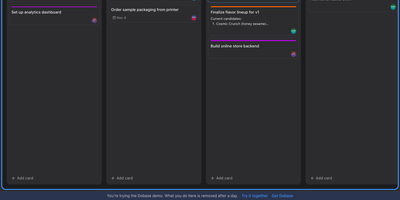
Dobase replaces the scattered pile of team subscriptions with one self-hosted workspace where mail, kanban boards, documents, chat, to-do lists, files, a calendar, and video rooms live side by side. Install only the tools your team needs, and share each one with exactly the collaborators you choose; a board for the whole company and a private todo list can sit in the same window. Several people can type in the same document at once, watching each other's colored cursors while the text merges cleanly, and presence faces in the sidebar show who is inside every tool right now. Open tools arrange themselves as tiles in a wide window, so chat can sit next to the board it discusses and the calendar under the mail you are answering. Pressing Cmd+K searches cards, todos, documents, files, chat, events, and mail in one motion, and nearly everything also works from the keyboard alone. Mail threads conversations and lets you accept calendar invites from the message, files get public links guarded by a password and an expiry, and the calendar syncs with CalDAV services or runs on its own. Video rooms with screen sharing join the same workspace, mentions and notifications follow you, and an email digest catches up anyone who was away. Running on a dedicated VPS on RepoCloud with guaranteed CPU, RAM, and SSD, full root SSH access, and a browser serial console. MIT licensed.
Tagr
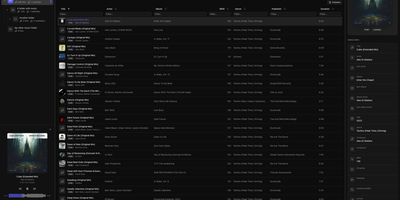
When a music library is full of wrong tags, missing covers, and blank ratings, Tagr lets you fix the whole collection from any browser, on desktop or phone. Three roles divide the work on your own server. Admins mount a music folder, press scan, and get a searchable table of every track, with sortable and filterable columns, more than 40 editable fields, and room for custom tags. Taggers make the changes: edit fields inline, swap album art, and match one song or a whole selection against MusicBrainz, ticking which fields to overwrite. Mistakes are cheap, because every edit is stored in a persistent change history with a revert action, viewable per song or per folder. Rule-based smart playlists, such as every track with an empty comment, show what still needs attention. Listeners browse and play without edit rights, using the waveform player, a Recently played view, and optional ListenBrainz scrobbling that each person connects to their own account. Supported formats include MP3, FLAC, WAV, AAC, OGG, M4A, M4B, WMA, AIFF, and Opus, with changes written straight back into the files. Swipe-friendly panels, an installable PWA, and five interface languages make the phone a comfortable place to work. Running on a dedicated VPS on RepoCloud with guaranteed CPU, RAM, and SSD, full root SSH access, and a browser serial console. AGPL-3.0 licensed.
Arkeep
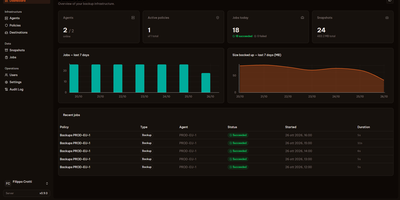
Five servers, five cron jobs, five restic scripts nobody quite remembers writing: Arkeep replaces that archaeology with one dashboard where every backup in your infrastructure reports for duty. A small agent on each machine dials out to the central server and waits for work, so nothing listens on an agent port and machines behind NAT or a home firewall enroll just as easily as cloud VPSes. From the web interface you define destinations, which can be local disk, any S3-compatible storage, SFTP, a restic REST server, or more than forty Rclone backends, then build policies that send one backup job to several destinations at once for a genuine 3-2-1 layout. Docker volumes are discovered automatically, and databases stream straight into the backup with pg_dump and mysqldump instead of fragile file copies. Retention and repository integrity checks run per destination on their own schedules. When recovery day comes, you open any snapshot in the browser, browse its files, and restore a single folder in place or somewhere new. Failures announce themselves by email, Slack, Discord, or webhook, or stay silent in Healthchecks.io. Sign-in is yours to choose: local accounts with TOTP two-factor, or single sign-on through any OIDC provider. Running on a dedicated VPS on RepoCloud with guaranteed CPU, RAM, and SSD, full root SSH access, and a browser serial console. Apache-2.0 licensed.
Mitra
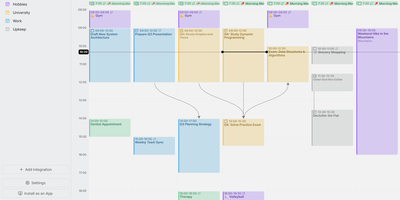
Mitra is a self-hosted calendar that puts your tasks on the same timeline as your events, so planning a week finally happens in one place instead of two. Drag across empty grid space to make an entry, drag it to move it, and stretch its edges to resize it. Tasks without a date sit in the Planning tab with a due date and an estimate until you drag them into the week. Subtasks and dependencies draw as lines between entries. Availability shading lays your working hours under the grid so double-booking becomes obvious before it happens. Keep calendars inside Mitra with no account behind them, or connect the ones you already use: CalDAV, Google Calendar, Apple Calendar, Notion, Todoist, and Tempo all sync both ways, and published feeds arrive as read-only subscriptions. Lists sort, filter, and change many entries at once. Files attach to entries, guests reply, reminders land as push notifications, and a command palette drives everything from the keyboard. Claude, Cursor, and other AI tools can read and plan your calendars over MCP. Eight languages, right-to-left layouts, light and dark themes, phone install, and OIDC sign-in for several people round it out. Running on a dedicated VPS on RepoCloud with guaranteed CPU, RAM, and SSD, full root SSH access, and a browser serial console. AGPL-3.0 licensed.
Lalabase
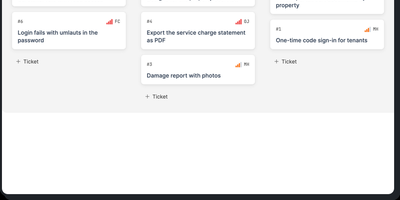
Lalabase is project management built for developers who work with clients, putting tickets, time tracking, documentation, and meetings in one workspace instead of five separate tools. Each client gets an organisation with its own projects and its own access, and roles decide exactly what clients can see. Tasks run as a list or a board with the statuses, priorities, and fields you define per project, rather than the workflow a vendor chose for you. Time tracking records several sessions per ticket, each billable on its own, with exports that go straight into the invoice. Documentation lives beside the work: notes and documents sit in the project, and a folder in your GitHub or GitLab repository becomes the project's docs automatically. Meetings keep their transcript, an AI summary, and the tasks that follow from what was actually said. When you need an answer, the AI assistant takes one question across tickets, comments, documents, hours, and meetings, and it cites the ticket, page, or conversation every answer came from. It even reads your repository's indexed code structurally, so questions about what is implemented get answered against the code. The assistant stays off until you enable it with your own provider key or a model in your own network. An MCP server and REST API let your own agents list, create, and update tickets, comment, and log time. Running on a dedicated VPS on RepoCloud with guaranteed CPU, RAM, and SSD, full root SSH access, and a browser serial console. AGPL-3.0 licensed.
SyncWatch
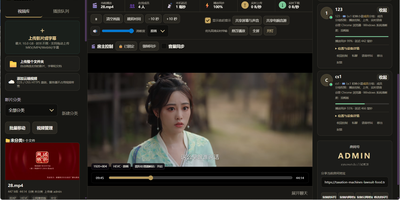
Movie night should not depend on everyone pressing play at the same second; SyncWatch runs your own watch-party server so friends in different places watch the same frame together. The host controls play, pause, seeking, and playback speed for the whole room, and late joiners or drifting clients are corrected back to the shared position automatically. You build the program from uploads or direct HTTPS media links, with subtitles, audio, images, and documents handled in the same library. Rooms can be permanent or temporary, protected by passwords and member limits, with host, admin, and permission-group control over who may operate playback. Between scenes, people talk through public and private chat, on-screen danmaku comments, emoji, voice messages, or full-room voice. Anyone can share a browser tab, window, desktop, or phone screen into the room, so a clip, a game, or a presentation becomes the shared screen. The server also keeps friends, notifications, online presence, bans, registration approvals, and an operations log, so a private community can run itself without a platform account. Uploaded media is analyzed and thumbnailed automatically, with browser-compatible versions generated for awkward formats. Backups, data export, a recycle bin, mail verification, and network diagnostics round out the admin side. Running on a dedicated VPS on RepoCloud with guaranteed CPU, RAM, and SSD, full root SSH access, and a browser serial console. Apache-2.0 licensed.
Silicon Notes
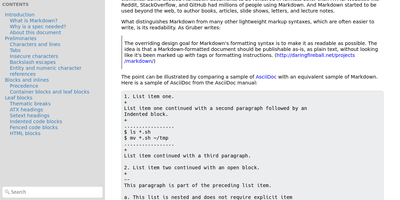
"Somewhat lightweight, low-friction" is how Silicon Notes' author describes the personal knowledge base - written after DokuWiki's editor "drove me mad" and no existing wiki quite fit. The philosophy is that small frequent annoyances compound into cognitive load with no return, so everything here is optimized for frictionless daily use. Notes are written in plaintext Markdown and rendered as clean HTML with Pygments syntax highlighting for code blocks; pages get bi-directional relationships (backlinks), so the knowledge base becomes a connected web rather than a folder tree; and full-text plus title search retrieves anything fast. A table of contents lives in the left sidebar - "where it belongs" - editable while you read without scrolling away. Page history tracks revisions for auditing and rollback, JSON export/import keeps everything portable, and the mobile layout is genuinely usable. The stack is deliberately minimal: Python and Flask with Mistune for Markdown and SQLite for storage - no big frameworks, just a few small dependencies. One honest caveat: there is no built-in authentication, so deploy it behind a VPN, private network, or reverse-proxy auth layer. For a solo engineer's brain, it is exactly enough.
AutoXpose
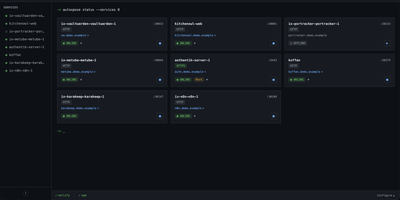
Tag a Docker container with two labels, and AutoXpose turns it into a published service with a DNS record, a reverse proxy route, and HTTPS, without you opening a single provider dashboard. From the web dashboard you connect one of six DNS providers, Cloudflare, Netlify, DigitalOcean, Porkbun, Aliyun, or Tencent DNSPod, and point it at the Nginx Proxy Manager or Caddy instance you already run. It watches your containers continuously after that: a new label creates the record, propagation is verified before the service shows as live, and removing the container removes its public entries too. Auto-expose mode publishes containers the moment they appear, while manual mode stages them in the dashboard for approval first. Color-coded service tags sort what you run into web, database, and media groups at a glance, and dashboard warnings flag misconfigurations before they become broken links. Nginx Proxy Manager access lists attach by label, so an admin panel stays reachable only from the networks you trust. When containers vanish, orphaned cleanup hunts down the stale DNS records and proxy hosts they left behind. Settings and state live inside the same single container, so the publishing pipeline for a homelab or a small fleet stays one compose service you can back up as a unit. Running on a dedicated VPS on RepoCloud with guaranteed CPU, RAM, and SSD, full root SSH access, and a browser serial console. MIT licensed.
Nanote
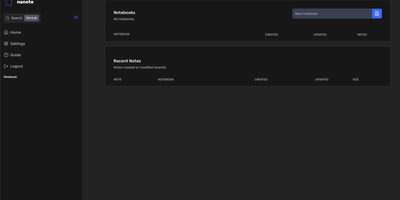
100% portability is Nanote's one non-negotiable principle as a self-hosted note-taking app. There is no database - notebooks are plain folders and notes are plain Markdown files on your filesystem, so the same notes remain fully manageable from a terminal, Notepad, or any other editor, and walking away from Nanote costs nothing because your data was never in a proprietary format to begin with. Built with Nuxt and TypeScript around the Milkdown editor, it layers modern conveniences on that plain-file foundation: fast content search across all notes using OS-optimized tooling (ugrep), native Markdown rendering, image and file attachments, and a mobile-friendly layout for reading and editing on a phone. Clever remark directives make plain text interactive - typing ::file inserts an inline upload picker, while ::today, ::now, and ::tomorrow expand to live dates and times. A fully typed REST API with validation covers automation, and access is protected by a configurable secret key. Deployment is one container with three env vars: paths for notes, uploads, and config, all bind-mountable so your Markdown lives wherever you want it - including inside an existing sync setup. AGPL-licensed and actively daily-driven by its author.