Open Source App Cloud Marketplace
Deploy, host, and scale with one click, at half the cost. Then customize with AI agents.
db-ui
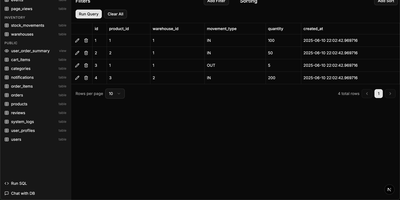
Traditional database management tools like pgAdmin and phpMyAdmin were built for DBAs, not for the rest of the team that just needs to look up a record or run a quick query. db-ui strips away the complexity and gives you a clean, modern interface that anyone can use. Browse tables in a paginated grid view with inline editing, filtering, and sorting built right into the column headers. The sidebar lists every table and view across all schemas with fuzzy search (Cmd+K to focus) that filters results as you type. Click any table to see its data, or switch to the schema introspection view to visualize columns, types, constraints, and relationships without writing a single query. The SQL editor provides syntax highlighting, result visualization in tabular format, and one-click CSV export for downstream analysis. For questions about your data model, the integrated AI chat assistant has full access to your database schema and can help you understand table relationships, write complex queries, suggest indexes, and provide optimization recommendations with streaming responses. Connect to PostgreSQL, MySQL, or Microsoft SQL Server through environment variables and deploy the whole application as a single Docker container. On RepoCloud, deploy db-ui on a dedicated VPS with root SSH access and direct connectivity to your database servers under the MIT license.
Compose Craft
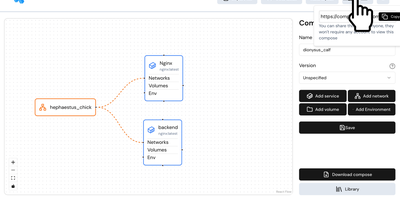
Compose Craft is an open-source visual diagramming and management platform that transforms raw Docker Compose configuration files into an interactive canvas of interconnected service nodes. Developers can drag and drop container services to map complex microservice architectures, automatically wiring port mappings, internal bridge networks, volume mounts, and dependency relationships. The real-time synchronization engine reflects every node repositioning, environment variable adjustment, and resource constraint directly into standard docker-compose syntax alongside a live editable code preview pane. Teams can import existing configuration files to diagnose routing conflicts, auto-format tangled service trees, and generate clean architectural documentation for operational handoffs. Engineers can generate shareable read-only public links to demonstrate infrastructure topologies to teammates and external reviewers without forcing them to register accounts. The built-in playground lets administrators experiment with container restart policies, healthcheck definitions, build contexts, and secret keys before deploying to production hosts. Running on a dedicated VPS on RepoCloud with guaranteed CPU, RAM, and SSD, full root SSH access, and a browser serial console. MIT licensed.
Composr
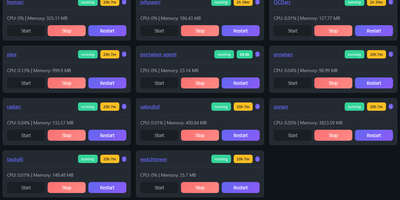
Managing multi-server container fleets often deteriorates into fragmented SSH sessions, mismatched compose files, and conflicting port allocations. Composr consolidates multiple Docker host daemons into a unified web dashboard that controls running containers, stack definitions, and system metrics from a single interface. Operators can connect remote Docker daemons through encrypted TCP sockets, inspect container health, and stream live execution logs with sub-second responsiveness. A built-in project creation wizard guides administrators through drafting new Compose topologies across local directories or remote server nodes. In-browser CodeMirror editors deliver live syntax highlighting for YAML files, configuration dotfiles, and reverse proxy definitions without detaching containers from disk. The platform tracks service properties directly, letting you toggle Compose profiles, relocate services between YAML manifests with pre-flight risk checks, and detect target port collisions before redeployment. Integrated backup managers bundle container metadata, compose files, and environment definitions into downloadable archive packages for automated disaster recovery. System operators can open interactive browser terminals into any active container, execute batch maintenance tasks, and configure scheduled image update checks. Running on a dedicated VPS on RepoCloud with guaranteed CPU, RAM, and SSD, full root SSH access, and a browser serial console. MIT licensed.
DispatchMail
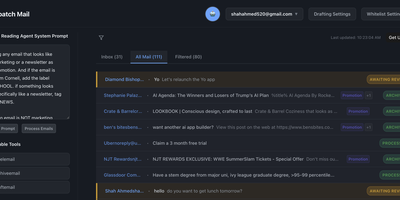
DispatchMail is an SuperHuman alternative and delivers a self-hosted AI email assistant that processes your Gmail inbox through configurable OpenAI prompts without sending data to third-party cloud services beyond the LLM API itself. The Flask backend connects to Gmail via IMAP, retrieves new messages according to your schedule, and routes them through customizable whitelist rules based on sender address, subject keywords, or natural language descriptions before AI processing begins. Two distinct prompt configurations control behavior — the Reading Prompt instructs how the AI should analyze and classify incoming messages, while the Draft Prompt defines how responses should be composed, letting you maintain consistent tone and policy across all automated replies. Whitelist filtering ensures the AI only processes messages you explicitly authorize, preventing unnecessary API costs and keeping sensitive emails out of the LLM pipeline entirely. The React web interface provides inbox management with message previews, AI-generated summaries, draft editing with human-in-the-loop approval before sending, and configuration panels for prompts and rules. Automatic labeling and archival organize processed messages into categories without manual intervention. The sender research feature uses LLM-powered deep analysis to build background profiles of email contacts. All email content, credentials, and processing results persist in a local SQLite database with zero cloud storage dependencies. Running on a dedicated VPS on RepoCloud with guaranteed CPU, RAM, and SSD, full root SSH access, and a browser serial console. Apache-2.0 licensed.
PRISM
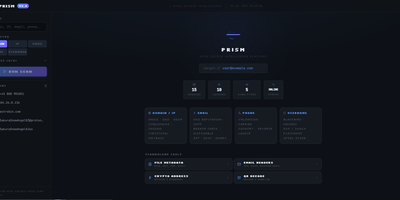
PRISM consolidates passive reconnaissance, credential leak detection, and network asset mapping into a unified operational dashboard to replace fragmented command-line security tools. Analysts can launch simultaneous multi-source investigations against domains, internet protocol addresses, email mailboxes, phone numbers, and online handles to uncover domain registrations, open network ports, cryptographic certificates, and historical web archives. The platform interrogates threat feeds and leak repositories to expose credential leaks, dark web mirrors, and email routing anomalies with automated SMTP mailbox verification. Cross-platform identity engines crawl thousands of social networks and public registries to correlate aliases, discover leaked commit identities, and trace digital footprints across the web. Discovered assets render into interactive entity relationship graphs alongside geographic internet protocol maps to help investigators visualize infrastructure clusters and ownership links. An automated operational security calculator evaluates exposure vulnerabilities across identity, web, and infrastructure vectors, producing an aggregated risk score with granular hardening recommendations. Scheduled watchlists continually monitor target infrastructure, dispatching webhook notifications to chat channels whenever new subdomains, ports, or credential leaks appear. Investigators can export comprehensive audit dossiers as self-contained HTML files, styled PDF documents, or structured spreadsheets. Running on a dedicated VPS on RepoCloud with guaranteed CPU, RAM, and SSD, full root SSH access, and a browser serial console. MIT licensed.
Statping-ng
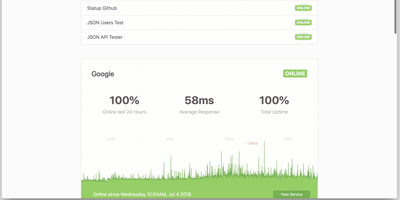
A status page and uptime monitor in one Go binary: Statping-ng - the actively maintained fork of Statping - replaces the UptimeRobot-plus-Statuspage combo with a ~20 MB Docker image using under 50 MB of RAM. It checks services over HTTP, TCP, UDP, ICMP ping, and gRPC health checks on configurable intervals, with per-service timeouts, expected status codes, POST requests with custom JSON bodies, SSL verification, and failure thresholds before alerting. The public status page is the differentiator against plain monitors: visitors see live status, uptime percentages, and latency charts grouped into service categories, with incident announcements and scheduled-maintenance messages you publish from the dashboard - and Sass-based custom styling matches the page to your brand rather than a vendor template. When something fails, notifiers fire immediately: Slack, Discord, Telegram, SMTP email, PagerDuty, Twilio SMS, Pushover, and custom webhooks, each testable before saving. Because notifiers are single Go files, the plugin system makes new channels straightforward. A RESTful API manages services and reads uptime data programmatically, and the free Statping mobile app connects to your server via QR code for on-the-go monitoring. Data persists to SQLite, MySQL, or PostgreSQL. Point it at internal services too - anything the container can reach is monitorable.
Yaade
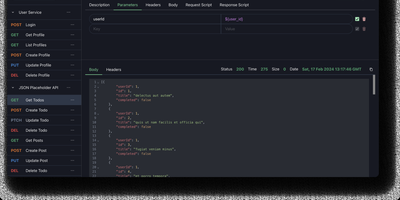
Yet Another API Development Environment delivers a self-hosted alternative to Postman designed from the ground up for teams that need secure, collaborative API development without sending sensitive credentials through third-party cloud services. The multi-user system manages team members with role-based permissions and supports external authentication through OAuth2 and OIDC providers, while all data persists in an H2 file-based database that survives container and server restarts. REST and WebSocket request testing includes environment variable substitution, request chaining, and Markdown documentation for each endpoint. The JavaScript scripting engine runs request and response scripts for automated testing and data extraction, with cron job scheduling and API-triggered execution for continuous integration workflows. Collections import directly from OpenAPI specifications and Postman exports, while outbound export generates request code in multiple languages and frameworks. The browser extension proxy for Chrome and Firefox routes requests through the user's browser to bypass CORS restrictions when testing localhost and internal APIs, with an alternative server-side proxy for headless environments. Single-file data import and export simplifies backup and migration between instances. The React and Vite frontend ships with dark mode enabled by default. Running on a dedicated VPS on RepoCloud with guaranteed CPU, RAM, and SSD, full root SSH access, and a browser serial console. MIT licensed.
Fynt
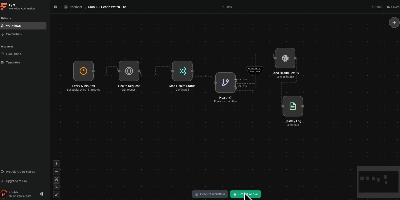
A clean alternative to n8n and Zapier that puts AI-native workflows front and center, Fynt is the MIT-licensed workflow automation platform where you drag nodes onto a React Flow canvas, wire them together with typed connections, and let a distributed BullMQ engine execute them — with every step streamed live to your browser over WebSockets so you never wonder what happened inside a run. The node library spans triggers (manual, webhook, cron scheduling), AI providers (OpenAI, Anthropic, and Gemini with structured output parsing), service integrations (GitHub webhooks, Notion databases, Slack channels, Discord bots, arbitrary HTTP endpoints), logic gates (conditional branching, filtering, data transformation), and utility nodes (delay, logging, payload mapping). The execution architecture separates concerns across three services: a Next.js 16 web application serving the React 19 workflow builder and tRPC API, a BullMQ worker processing jobs with node-level retries and checkpointing for crash-safe execution, and a dedicated WebSocket relay server broadcasting real-time run events via Redis Pub/Sub. All stored credentials are encrypted at rest using AES-256-GCM with per-credential initialization vectors. The full-stack deploys as a single Docker Compose stack (web, worker, realtime, PostgreSQL, Redis) or individually via pnpm workspaces in a Turborepo monorepo. Authentication is handled through better-auth with configurable OAuth providers. Running on a dedicated VPS on RepoCloud with guaranteed CPU, RAM, and SSD, full root SSH access, and a browser serial console. MIT licensed.
OpenBudgeteer
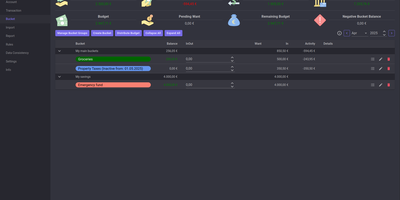
Allocating every incoming dollar into purposeful spending and savings buckets before transactions occur, OpenBudgeteer gives households complete financial control through a self-hosted zero-based envelope budgeting platform. Users can organize expenditures into customizable bucket hierarchies, grouping everyday living costs, debt repayments, and sinking funds into distinct categories with target balances. Financial planners can import bank statement files via flexible CSV mapping profiles that parse transaction descriptions, clean up merchant strings, and auto-assign records to corresponding expense buckets. The transaction registry provides split-transaction functionality, allowing shoppers to divide a single department store receipt across grocery, household, and clothing envelopes with exact currency precision. Interactive progress bars display bucket health throughout the billing month, signaling when spending velocity threatens allocated limits and calculating suggested contributions for forthcoming paychecks. Advanced forecasting reports plot multi-month net worth trajectories, track category expenditure patterns, and calculate burn rates against long-term retirement and emergency savings goals. Account balances synchronize across multiple physical checking accounts, credit cards, and cash wallets, ensuring total bucket balances reconcile perfectly against real bank reserves. Running on a dedicated VPS on RepoCloud with guaranteed CPU, RAM, and SSD, full root SSH access, and a browser serial console. AGPL v3 licensed.
Dock-Dploy
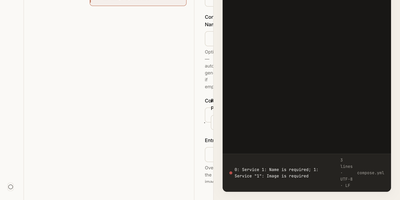
Visual drag-and-drop assembly replaces manual text editing in Dock-Dploy, a Docker Compose builder and configuration management suite that turns complex multi-service container topologies into validated YAML manifests. DevOps engineers and self-hosters can visually assemble application stacks by selecting container base images, defining healthcheck probes, mapping bridge networks, and assigning persistent volume mounts through a reactive web interface. An integrated marketplace catalog allows teams to search, preview, and import battle-tested templates for services like PostgreSQL, Redis, and Nginx with one click. Real-time Zod schema validation inspects every service parameter as you type, flagging port collisions, missing environment variables, and malformed volume syntax before deployment. A split-screen CodeMirror editor provides continuous synchronization between graphic form fields and generated YAML definitions with automatic code sanitization and clipboard exports. Beyond Compose stacks, operators can design blueprint templates, generate reverse proxy routing profiles, and assemble recurring cron schedules for automated backup and maintenance routines. Running on a dedicated VPS on RepoCloud with guaranteed CPU, RAM, and SSD, full root SSH access, and a browser serial console. AGPL-3.0 licensed.
Silicon Notes
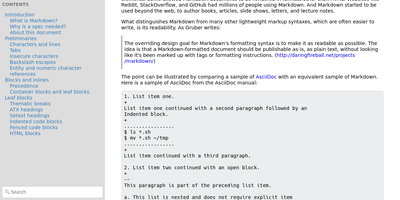
"Somewhat lightweight, low-friction" is how Silicon Notes' author describes the personal knowledge base - written after DokuWiki's editor "drove me mad" and no existing wiki quite fit. The philosophy is that small frequent annoyances compound into cognitive load with no return, so everything here is optimized for frictionless daily use. Notes are written in plaintext Markdown and rendered as clean HTML with Pygments syntax highlighting for code blocks; pages get bi-directional relationships (backlinks), so the knowledge base becomes a connected web rather than a folder tree; and full-text plus title search retrieves anything fast. A table of contents lives in the left sidebar - "where it belongs" - editable while you read without scrolling away. Page history tracks revisions for auditing and rollback, JSON export/import keeps everything portable, and the mobile layout is genuinely usable. The stack is deliberately minimal: Python and Flask with Mistune for Markdown and SQLite for storage - no big frameworks, just a few small dependencies. One honest caveat: there is no built-in authentication, so deploy it behind a VPN, private network, or reverse-proxy auth layer. For a solo engineer's brain, it is exactly enough.
Atlantis Diagrams
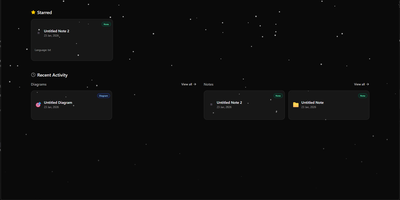
Technical teams frequently struggle to keep software architecture diagrams synchronized with evolving codebases and documentation repositories. Atlantis Diagrams delivers a unified self-hosted workspace that couples code-driven Mermaid.js diagramming with structured Markdown knowledge bases in a responsive web interface. Engineers can compose flowcharts, sequence diagrams, state machines, entity-relationship models, and Gantt schedules using split-view CodeMirror editors with real-time SVG rendering. An integrated version history tracker automatically captures revision checkpoints across the last 15 document states, letting authors compare modifications and restore previous iterations without data loss. The linked notes environment supports rich Markdown editing, LaTeX mathematical formulas, interactive task checklists, tag indexing, and full-text keyword searches across personal documentation libraries. Canvas controls allow users to pan, zoom, inspect individual nodes, and export finalized graphics directly into vector SVG, high-resolution PNG, or printable PDF documents. Storage engines adapt to deployment scale, running on zero-configuration SQLite databases out of the box with optional PostgreSQL, MySQL, and Redis caching layers for high-concurrency environments. Running on a dedicated VPS on RepoCloud with guaranteed CPU, RAM, and SSD, full root SSH access, and a browser serial console. MIT licensed.

Chief-Onboarding
New hires fail from information overload and IT bottlenecks, not lack of goodwill - the observation behind ChiefOnboarding, a free, open-source employee onboarding platform (Django, Celery, PostgreSQL, Redis). Its answer is sequences - drag-and-drop timelines that drip-feed to-do items, resources, courses, forms, and badges to each new hire, triggered by dates or by completing a previous item, so nobody faces everything at once. Onboarding starts before day one: preboarding pages welcome hires early, and colleagues can leave personal messages that appear there. The account provisioning module creates the new hire's Slack, Google, Asana, and other accounts automatically on the scheduled day via a library of integrations plus custom webhooks - the IT ticket queue never gets involved. Everything works through two equivalent interfaces: a full web dashboard and a Slack bot, either usable standalone. Slack can even auto-create new hire accounts when someone joins the workspace and assign default sequences with zero manual action. Colleague tasks with comments and collaboration, a searchable people directory, scheduled introductions, and per-hire timezone awareness (no 3 a.m. notifications) round it out. No trackers, no phoning home - third-party credentials sit in encrypted fields on your server.
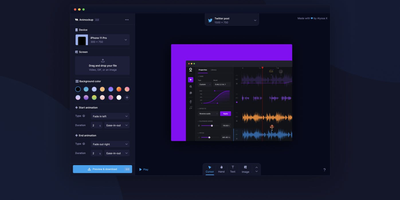
Animockup
Product Hunt's Maker of the Year: Animockup delivers an alternative to expensive motion graphics tools for creating animated product teaser videos entirely in the browser. The FabricJS canvas engine provides a fully interactive editing surface where you import product videos or screenshots, place them inside device mockups ranging from iPhones and MacBooks to browser windows and smartwatches, and customize everything from background gradients to overlay text positioning. Anime.js powers the animation system with configurable start and end transitions, easing curves, and duration controls that produce smooth entrance and exit effects without timeline editors or keyframe knowledge. The built-in FFMPEG.wasm pipeline handles all video processing client-side — no server-side rendering required — exporting finished teasers to WebM, MP4, or GIF at custom framerates and resolutions up to 4K. The crop and reposition tool lets you precisely fit product footage into any device screen regardless of aspect ratio differences. Twenty-plus device frames cover phones, tablets, laptops, desktops, watches, and generic browser windows for maximum versatility. Firebase authentication handles user sessions while the optional Paddle integration manages subscriptions — or remove both for a fully free deployment. Self-hosting requires only a static web server with optional PHP for the payment webhook endpoint. Running on a dedicated VPS on RepoCloud with guaranteed CPU, RAM, and SSD, full root SSH access, and a browser serial console. MIT licensed.
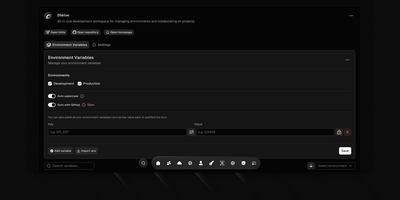
Shelve
Eliminate scattered configuration files and leaked credentials across development teams with Shelve, an open-source secrets management platform that secures environment variables across development, staging, and production tiers. Engineering teams can organize sensitive database passwords and third-party API credentials within a centralized vault protected by AES-256 encryption and SHA-256 integrity verification. The platform synchronizes configurations directly to GitHub Actions and repository secret stores through an official GitHub App integration. Developers can inject encrypted variables directly into local processes using the dedicated CLI without saving plain-text secrets to disk. The built-in sharing vault creates self-destructing, password-protected links to exchange sensitive credentials securely with external contractors. Administrators can define custom workspace teams with granular role-based access controls, track change audit logs across configuration histories, and navigate management views using a keyboard-driven command palette. Automated schema validation engines detect missing parameters and enforce uniform uppercase naming standards across application tiers. Running on a dedicated VPS on RepoCloud with guaranteed CPU, RAM, and SSD, full root SSH access, and a browser serial console. Apache 2.0 licensed.
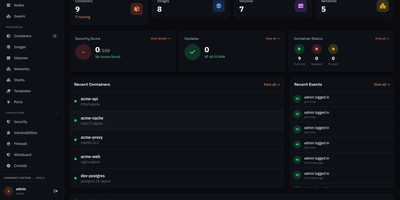
Usulnet
Usulnet packs container management, Trivy security scanning, Nginx reverse proxy, scheduled backups, WireGuard VPN, firewall rules, and multi-node orchestration into a single 70MB Go binary with zero external runtime dependencies. Every module ships in one download with no paid tiers, no telemetry, and no edition gating. Container lifecycle management covers creation, start, stop, restart, pause, kill, and removal with bulk operations, real-time resource statistics, filesystem browsing, and settings editing. Trivy integration scans images and running containers for CVEs with severity scoring, generates SBOMs, and validates CIS benchmarks. The multi-node architecture supports standalone, master, or agent modes where agents connect over NATS JetStream with mTLS encryption, enabling remote Docker host management from a central dashboard. Reverse proxy configuration handles Nginx with automatic Let's Encrypt certificates, TCP/UDP stream proxying, access lists, and dead host detection. Backup operations capture container volumes and Compose stacks on configurable schedules with retention policies and full restore capabilities. A built-in application catalog provides 60+ one-click templates for common services. JWT license validation uses an RSA-4096 public key embedded in the binary, requiring no call-home and working entirely offline. For teams tired of maintaining separate tools for each infrastructure concern, Usulnet collapses the entire stack into a single point of management with Docker Compose deployment alongside PostgreSQL, Redis, and NATS.
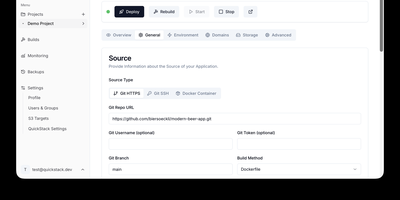
QuickStack
QuickStack transforms your standalone Linux server or cluster into a self-hosted platform-as-a-service that automatically compiles, deploys, and monitors full-stack applications and relational databases without vendor lock-in. Developers can trigger instant deployments directly from public or private Git repositories, upload custom Dockerfiles, or pull container images straight from private registries with automated webhook synchronization. The built-in application catalog enables one-click provisioning of production databases including PostgreSQL, MySQL, MariaDB, MongoDB, and Redis with preconfigured internal network isolation. Administrators can route traffic across custom domains with automated Let's Encrypt SSL certificate issuance, inspect real-time CPU and memory telemetry, stream container runtime logs, and launch in-browser web terminals. Teams can configure granular role-based access controls with single sign-on authentication, establish zero-trust ingress and egress network security policies, and orchestrate automated volume snapshots directly to S3 object storage. When infrastructure requirements expand, operators can attach additional worker nodes using lightweight join tokens to distribute workloads seamlessly across high-availability compute pools. Running on a dedicated VPS on RepoCloud with guaranteed CPU, RAM, and SSD, full root SSH access, and a browser serial console. GNU GPL v3.0 licensed.

Hammond
When Clarkson, the once-popular fuel logger, stopped receiving updates, Hammond stepped in as its logical successor - a self-hosted vehicle expense tracker. Written in Go with a Vue.js interface and SQLite storage - a single lightweight container, no external database - it tracks every cost your vehicles generate: fuel fill-ups with cost, volume, and odometer readings; maintenance and repairs; and arbitrary other expenses, each attachable with photos and documents stored against the vehicle. The multi-user, multi-vehicle design is what sets it apart from phone apps: a household or small business adds all its vehicles and all its drivers, shares vehicles across users, and every fill-up lands in one ledger no matter who was driving. The Quick Entries feature respects how expenses actually happen - snap a photo of the receipt or pump screen at the gas station, then complete the structured entry later when you have a minute. Reporting works at both the vehicle level (cost per distance, fuel economy trends) and across the whole fleet. Migration matters here: importers for Clarkson, Fuelly, and Drivvo bring years of fill-up history along, so switching does not mean starting your data over.