1Panel
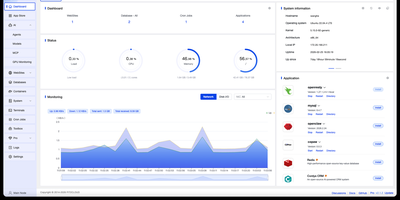
Backed by over 36,000 GitHub stars and 120 contributors with 123 releases since 2022, 1Panel has rapidly become the go-to open-source alternative to cPanel and Plesk for modern Linux server management. The platform delivers a clean Vue.js dashboard powered by a Go backend using the Gin framework, providing visual management of Docker containers, images, networks, and volumes without touching the command line. Its curated app marketplace offers one-click installation of 165+ trusted open-source applications including Nextcloud, Bitwarden, Umami analytics, WordPress, and NocoBase, each running in isolated containers for maximum security. Native AI capabilities set 1Panel apart from every competing panel: deploy Ollama LLMs directly from the dashboard, spin up OpenClaw personal agents, monitor GPU utilization, and manage AI models through a unified interface. Website management includes automatic domain binding, Let's Encrypt SSL certificate provisioning, and Nginx configuration with zero manual setup. Security runs deep with built-in firewall rules, fail2ban integration, container isolation, WAF protection, and comprehensive audit logging enabled from day one. Automated backups support AWS S3, Cloudflare R2, and local storage with one-click restore from any snapshot. The panel supports Debian, Ubuntu, CentOS, and Rocky Linux across x86_64, aarch64, armv7l, ppc64le, and s390x architectures. Running on a dedicated VPS on RepoCloud with guaranteed CPU, RAM, and SSD, full root SSH access, and a browser serial console. GPL-3.0 licensed.
Uyuni
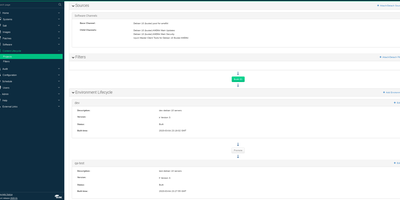
Four hundred servers need a security patch, they run five different Linux distributions, and a spreadsheet says which ones were done. Uyuni replaces that spreadsheet: one server inventories your fleet, mirrors the software channels each machine subscribes to, and shows exactly which patches and errata apply where. Administrators register clients manually, by bootstrap script, or automatically through activation keys, then group them into systems sets so an action aimed at a group lands on staging first and production on schedule. Patch management creates and applies errata with CVE context, and CVE audits check systems against vulnerability data so you can prove a fix landed instead of believing it did. Configuration channels push files, directories, and symbolic links rendered with Jinja templates through the built-in Salt master, which also runs remote commands and orchestration across tens of thousands of clients. The Content Lifecycle Manager promotes package sets from development through testing to production channels, so every environment consumes tested content in order. Provisioning reinstalls or network-boots machines through PXE with AutoYaST, Kickstart, or cloud-init profiles, proxies cache content for branch offices, and built-in Prometheus and Grafana monitoring watches the management server itself. Running on a dedicated VPS on RepoCloud with guaranteed CPU, RAM, and SSD, full root SSH access, and a browser serial console. GPL-2.0 licensed.
SaltStack
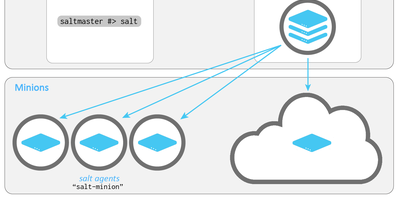
Type one command on the Salt master and ten thousand machines answer, because Salt publishes jobs to minions that subscribe, check whether the job targets them, and execute it in parallel before reporting results back. Configuration management describes the desired end state in YAML state files: which packages, files, services, and users should exist, and highstate runs converge every targeted minion toward that description with dependency ordering. Targeting goes far beyond hostnames, since grains describe each minion's operating system, hardware, and roles, and Pillar delivers per-minion secrets and settings rendered only for the machines that should receive them. Beacons watch services, load, disks, logins, and file changes on minions and emit events onto the bus, while reactors bind those events to prepared responses, so a failed service can restart itself and an administrator gets notified with the evidence attached. Orchestration runners coordinate multi-machine procedures in sequence, such as draining a load balancer pool, patching it, and returning it to service, and the master exposes HTTP APIs and pluggable returners that stream job results into your databases and dashboards. Machines that cannot run an agent are reached through Salt SSH, and Salt Resources target appliances and API endpoints that should be managed without a minion at all. Running on a dedicated VPS on RepoCloud with guaranteed CPU, RAM, and SSD, full root SSH access, and a browser serial console. Apache-2.0 licensed.
Cockpit
Cockpit puts Linux server administration in a web browser, rendering storage, networking, containers, and virtual machines as visual panels you click through instead of command-line syntax you memorize. It ships in every major Linux distribution and activates through systemd socket activation, consuming zero resources until someone connects on port 9090. What makes it different from other admin panels: every change through the web interface appears instantly at the command line, and every terminal change reflects in the browser in real time. No abstraction layer sits between the UI and the operating system, which means no configuration drift. Storage management covers disk partitioning, RAID arrays, LUKS encryption, LVM volumes, and NFS shares. Network configuration handles bonds, bridges, VLANs, and firewall zones through visual editors. Native Podman integration pulls images, creates containers, manages pods, and provides terminal access into running processes. KVM/libvirt support handles VM creation, cloning, snapshots, and live migration with console access. A built-in terminal provides shell access when the web interface is not enough, and the journal viewer filters systemd logs by severity and unit. Multi-server management connects additional hosts over SSH, presenting a unified dashboard across your entire infrastructure from one browser tab. Runs on a dedicated RepoCloud VPS with full root SSH access and browser serial console. LGPL licensed.
Zerobyte
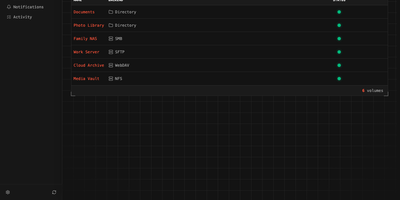
Replace fragile cron scripts and complex terminal commands with Zerobyte, a self-hosted web control center that schedules, monitors, and restores encrypted backups across any cloud or local storage infrastructure. System administrators can connect local drives, NFS shares, SMB exports, WebDAV mounts, and SFTP endpoints as backup sources with custom inclusion and exclusion rules. The visual interface lets you dispatch incremental, client-side encrypted snapshots to local directories, Amazon S3, Google Cloud Storage, Azure Blob, and forty cloud storage providers supported via rclone. You can schedule automated jobs using cron expressions, configure custom retention windows to automatically prune obsolete archives, and run repository health checks directly from the browser. Interactive file trees allow operators to inspect historical snapshot contents, download specific documents, or restore entire directory structures to their original locations in a single click. Configurable pre-backup and post-backup HTTP webhooks help pause databases before snapshots, execute dump commands, and alert teams through Discord, Slack, Telegram, or ntfy notifications. Multi-repository mirroring duplicates critical backups to secondary cloud providers for disaster recovery. Running on a dedicated VPS on RepoCloud with guaranteed CPU, RAM, and SSD, full root SSH access, and a browser serial console. AGPL-3.0 licensed.
phpMyAdmin
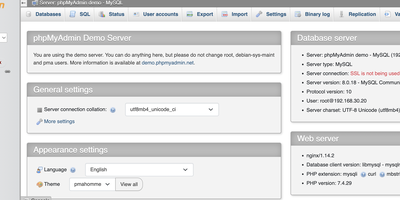
Since 1998, phpMyAdmin has been the standard web interface for MySQL and MariaDB - the tool millions of developers, DBAs, and hosting companies reach for when a database needs inspecting, fixing, or migrating. Written in PHP, it covers effectively the entire administration surface: create, browse, alter, and drop databases, tables, views, columns, and indexes; insert and edit rows through a tabular editor; manage user accounts and granular privileges; and maintain stored procedures, triggers, and events - all without touching a command line. The SQL editor executes arbitrary queries with syntax highlighting, autocompletion, history, and bookmarkable statements, including batch queries. Import/export is a migration workhorse: read SQL, CSV, XML, and OpenDocument spreadsheets in; write out to SQL dumps, CSV, JSON, XML, PDF, Word, LaTeX, and more - the fastest path for moving a WordPress database or handing a schema to a colleague. The Designer view renders your schema as an interactive ER diagram with drag-and-drop relationship editing, and data transformations display BLOBs as images or download links inline. Server maintenance views surface configuration suggestions. Multi-server support, dark mode, and translations into 72 languages round out a tool that earns its ubiquity. GPL-licensed.
Linux Update Dashboard
Linux Update Dashboard is a self-hosted web app that lets you check and apply package updates across a whole fleet of Linux servers from one browser dashboard, over SSH, with no agent installed on any managed machine. It discovers each server's package managers, operating system, installed packages, reboot state, and distribution lifecycle, then lets you refresh, upgrade selected packages, run full upgrades, autoremove leftovers, cancel running work, or reboot remotely while watching real-time command output stream into the page. Groups with health badges and explicit priorities organize fleets for clear overviews and ordered Upgrade All batches that run as waves across eligible systems. An encrypted SSH credential vault stores reusable passwords, private keys, and OpenSSH certificates with AES-256-GCM, and you can view or edit repository source files through sudoedit with diff review and activity history. Cron-based schedules automate refreshes, updates, autoremove, reboots, and notifications for chosen systems, while alerts go out by email, Gotify, MQTT, ntfy.sh, Telegram, or webhooks, with Home Assistant MQTT discovery entities for every server. Sign-in supports passwords with optional TOTP, passkeys and WebAuthn, OpenID Connect SSO, and API tokens, and the interface speaks ten languages with dark and light themes and custom branding. Because this tool can run commands on your servers, keep it on trusted networks behind TLS, a reverse proxy, or a VPN. Running on a dedicated VPS on RepoCloud with guaranteed CPU, RAM, and SSD, full root SSH access, and a browser serial console. AGPL-3.0 licensed.
Nexterm
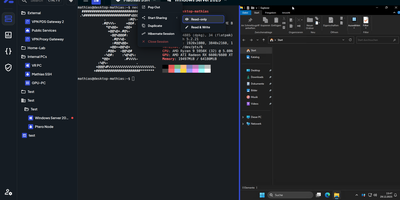
Terminals, remote desktops, and file browsers for every server you run: Nexterm opens them over SSH, VNC, RDP, Telnet, or SFTP from a self-hosted web page. Servers live in folders with tags and custom icons. Connections open as tabs or split views, keep running across browsers and devices, and can hibernate and resume later. The file manager handles SFTP and FTP: drag files in, upload whole folders, search, and edit in place with syntax highlighting. Live metrics track CPU, memory, disk, network, and processes for each host. Snippets store the commands you retype most. Scripts run whole maintenance jobs. Git repositories added as sources bring ready-made ones filtered by operating system. Organizations share servers through role-based permissions, and every action is logged. Record full terminal sessions for audits and training, or send a shared-session link so a colleague can join, read-only or writable. Authentication covers local accounts with TOTP and passkeys, OIDC providers such as Keycloak, Authentik, and Microsoft Entra ID, and LDAP or Active Directory. Saved passwords, SSH keys, and passphrases stay encrypted at rest. A Proxmox integration lists LXC containers and QEMU virtual machines and can start or stop them. An opt-in AI assistant drafts shell commands from plain-language requests. Running on a dedicated VPS on RepoCloud with guaranteed CPU, RAM, and SSD, full root SSH access, and a browser serial console. MIT licensed.
CortenDesk
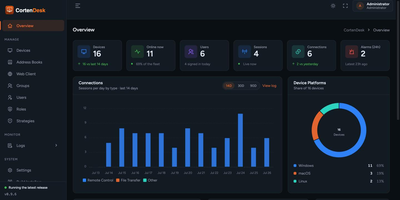
Point your RustDesk clients at CortenDesk and the bare open-source server turns into a managed fleet console with a real address book, real access control, and a remote client that lives in the browser. One container runs the ID server, the relay, and the console together, and existing key pairs and device IDs move in unchanged, so migration is a hostname change rather than a rebuild. The fleet view shows live presence, platform, aliases, owners, and last-seen for every machine, organized into folders that double as the unit of access control. People see only their own devices plus the groups granted to them, and the same scoping is enforced in the RustDesk client API, not just the web pages. Policies push client settings over the heartbeat, covering permissions, password rules, and capture behavior, and enforced policies revert local changes automatically. Five audit logs record connections, file transfers, sign-ins, security alarms, and console actions, all filterable and exportable to CSV. When a browser is all you have, the built-in web client views and controls machines with file transfer, clipboard, audio, and multi-monitor switching, no installer required. Running on a dedicated VPS on RepoCloud with guaranteed CPU, RAM, and SSD, full root SSH access, and a browser serial console. AGPL-3.0 licensed.
VyManager
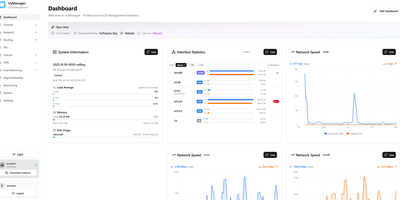
VyManager puts every VyOS router you run, across every site, into one web control plane with live dashboards and per-site permissions. Organize instances into logical sites, from the datacenter core to the smallest branch office, and add or remove routers without touching a command line. Live dashboards stream interface counters, system information, network graphs, and WireGuard peer status, so a saturated link announces itself before your users do. Configuration adapts to each router's VyOS version, with 1.4, 1.5, and rolling releases supported side by side during the longest upgrade cycle. Access is granted per site with OWNER, ADMIN, and VIEWER roles, API keys authenticate the machines, and SSH credentials stay encrypted at rest. A setup wizard walks a fresh deployment to its first managed router, and light, dark, and custom themes keep the night shift comfortable. For automation, AI assistants can be connected through the companion MCP integration, and the whole stack arrives as Docker Compose services you can redeploy in minutes. Running on a dedicated VPS on RepoCloud with guaranteed CPU, RAM, and SSD, full root SSH access, and a browser serial console. GPL-3.0 licensed.
pgweb
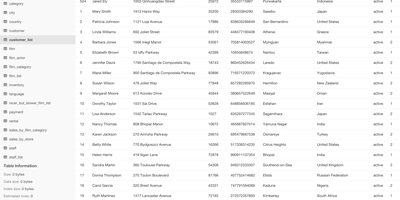
Inspect a PostgreSQL database right now, without installing pgAdmin or exposing Postgres to the internet - pgweb answers that recurring need. It's a Go application from Dan Sosedoff, a decade in development, shipped as a single statically-linked binary with zero dependencies - the Docker image is essentially just the executable - that puts a clean browser UI in front of any PostgreSQL 9.1+ server. Connect via URL string or host/port credentials, and browse tables, views, and sequences from the sidebar; selecting a table shows its rows immediately alongside tabs for structure, indexes, and constraints. The Query tab executes arbitrary SQL with query history, and the Explain Query button renders the query plan - estimated cost, row counts, execution strategy - which makes pgweb a quick performance-triage tool, not just a browser. Results and entire tables export to CSV, JSON, or XML in a click. Connectivity is more flexible than its size suggests: native SSH tunneling (password or key) reaches databases behind firewalls, server bookmarks make switching instances instant, and an optional multi-session mode handles several databases concurrently. For a RepoCloud stack full of Postgres-backed apps, one pgweb instance is the universal inspection hatch. MIT-licensed, actively maintained.
PowerDNS-Admin
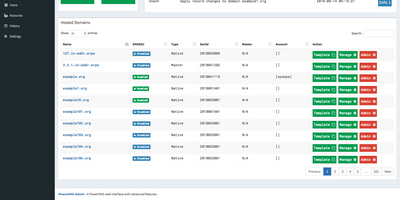
Raw zone files and API calls become something a whole team can operate safely once PowerDNS-Admin puts its web interface in front of a PowerDNS authoritative server. It's a Python/Flask application covering full forward and reverse zone management, with the touches that matter in daily DNS work: zone templates for stamping out consistent new domains, easy IPv6 PTR record editing (reverse zones by hand are misery), full IDN/Punycode support for internationalized domains, and DynDNS 2 protocol support so routers and scripts can update records the way they would against a commercial dynamic-DNS service. Access control is enterprise-grade: local users, LDAP against OpenLDAP or Active Directory, SAML, and OAuth via Google, GitHub, Azure, or OpenID Connect, hardened with TOTP two-factor authentication. Role-based permissions extend to zone-specific access control - hand a developer their project's zone without exposing the rest of your namespace - and activity logging records who changed which record when, the audit trail bare PowerDNS never gives you. The dashboard monitors PDNS service configuration and statistics, and its own API exposes zone and record management for automation on top of the UI. Runs against MySQL/MariaDB or PostgreSQL, talking to PowerDNS through its REST API. MIT-licensed.
BorgWarehouse
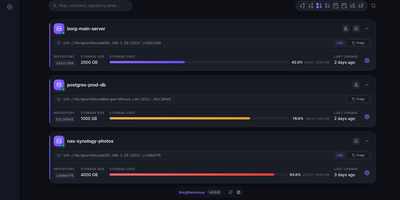
Centralizing BorgBackup usually means hand-creating Unix users, wiring SSH keys, and remembering which machine stopped backing up three weeks ago; BorgWarehouse replaces that terminal work with a dashboard built for exactly this job. Add a repository and it provisions the dedicated user, authorized key, and storage quota for you, then hands back ready-to-paste client commands so a new machine is backing up in minutes. Every repository carries a freshness threshold: when no modification lands within the window you set, its status dot turns red and an alert goes out by SMTP email, through Apprise to Discord, Telegram, Slack, Gotify, or ntfy, or as a signed webhook POST to tools like n8n and Uptime Kuma, rate-limited to one alert per repository per day. Append-only mode is enforced on the server, so even a fully compromised client can add archives but never destroy existing ones, which is the property that keeps ransomware from eating your backup history. The monitoring view tracks storage consumption against each quota, a setup wizard walks new clients through onboarding (with a LAN variant for local transfers), and sign-in can delegate to GitHub, Google, Microsoft, GitLab, or any OIDC provider. A versioned REST API automates provisioning, and your passphrase never reaches the server: backups stay end-to-end encrypted on the clients. Running on a dedicated VPS on RepoCloud with guaranteed CPU, RAM, and SSD, full root SSH access, and a browser serial console. AGPL-3.0 licensed.
MeshCentral
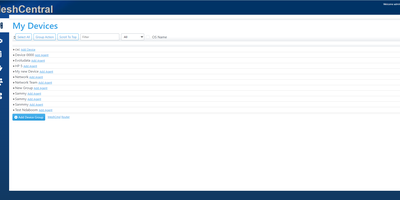
With over 7,000 GitHub stars and continuous development since 2017 by former Intel engineer Ylian Saint-Hilaire, MeshCentral has become the go-to self-hosted alternative to ConnectWise Control and Splashtop for managing devices remotely without per-seat licensing fees. The Node.js server installs via a single npm command and manages Windows, macOS, Linux, and FreeBSD endpoints through lightweight agents that maintain persistent WebSocket connections for real-time remote desktop, terminal access, and file transfer directly in the browser. Intel AMT integration provides out-of-band hardware management including power control and BIOS access even when the operating system is unresponsive. Device groups organize endpoints by location, customer, or function with granular role-based access control for multi-technician environments. Session recording captures remote desktop interactions for compliance auditing, while Wake-on-LAN powers on machines remotely across subnets. The server supports MongoDB for production deployments handling thousands of agents or the embedded NeDB for smaller setups under 200 devices, with a single 8GB VPS comfortably managing 1,500 concurrent agents. Security features include mandatory TLS with automatic Let's Encrypt certificate provisioning, multi-factor authentication via TOTP and FIDO2, SAML-based single sign-on, IP filtering, and HashiCorp Vault integration for secrets management. The web console provides real-time device monitoring with hardware and software inventory, network topology visualization, and customizable branding. TacticalRMM uses MeshCentral as its remote access layer. Running on a dedicated VPS on RepoCloud with guaranteed CPU, RAM, and SSD, full root SSH access, and a browser serial console. Apache-2.0 licensed.
Modoboa
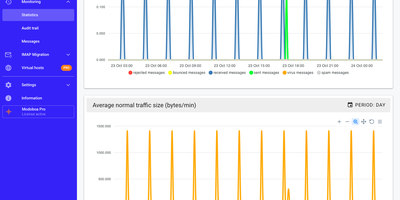
Modoboa turns a bare mail server into a managed hosting platform, with one web console for domains, mailboxes, aliases, and quotas, plus a full webmail for the people using them. Roles separate super administrators, resellers, domain administrators, and ordinary users, with caps on how many mailboxes and aliases each administrator may create and daily sending limits per domain or mailbox. The webmail offers conversation view, folder subscriptions, scheduled sending, attachments, and search across headers and message bodies. Calendars and address books sync with standard clients, and calendars can be shared. Each user writes Sieve filters and autoreplies in the browser. Deliverability checks cover MX records and DNSBL listings, DKIM keys are generated per domain, and DMARC aggregate reports become per-domain visual reports. Amavis quarantine pages and an Rspamd frontend help with spam. Traffic graphs show message volume. Accounts authenticate against the local database, LDAP, Active Directory, or an existing SMTP server, with TOTP codes or WebAuthn security keys as a second factor. Thunderbird and Outlook configure themselves through built-in autoconfig and autodiscover endpoints. An IMAP migration tool pulls mailboxes from another provider as each person signs in. Administrators can brand the console with custom logos, extend it through plugins, and automate it through a documented REST API. Running on a dedicated VPS on RepoCloud with guaranteed CPU, RAM, and SSD, full root SSH access, and a browser serial console. ISC licensed.
ServerKit
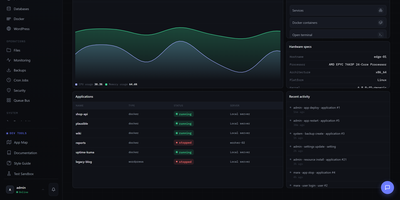
ServerKit delivers a server control panel that fits on a small VPS while managing everything from Docker containers to mail servers. The Python/Flask backend exposes 1,519 REST endpoints across 107 blueprints with full OpenAPI documentation at /api/v1/docs, while the React frontend spans 65 screens in a 1.75MB gzipped bundle served entirely from your own infrastructure. Docker management includes full container lifecycle control, Docker Compose project orchestration, real-time log streaming, and terminal access. Database panels cover MySQL/MariaDB and PostgreSQL with user management, browser-based query consoles, and automated backups to S3, Backblaze B2, or local storage. Nginx virtual host management automates Let's Encrypt certificate provisioning with hardened TLS 1.2+ configurations and Cloudflare-aware setups. The Go-based cross-platform agent enables multi-server fleet management with HMAC-SHA256 authentication over a WebSocket gateway, supporting Linux, Windows, and macOS across amd64 and ARM64 architectures. Fleet monitoring provides cross-server heatmaps, metric comparison charts, alert thresholds, anomaly detection, and capacity forecasting. A built-in marketplace distributes 106 one-click application templates using a declarative YAML schema with Docker Compose stacks. The extension system allows community plugins for Kubernetes management, Redis browsers, and WordPress site orchestration. Running on a dedicated VPS on RepoCloud with guaranteed CPU, RAM, and SSD, full root SSH access, and a browser serial console. MIT licensed.
pgAdmin
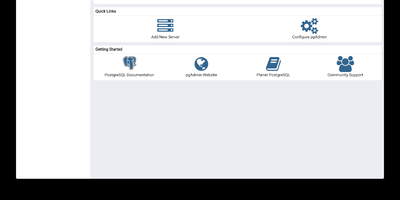
pgAdmin 4 is the reference administration GUI for PostgreSQL, bundled by virtually every Linux distribution and supporting versions 14 through 18 including EDB Advanced Server — browse schemas in a hierarchical tree, write and optimize queries with AI assistance, design entity-relationship diagrams visually, monitor live sessions, and run backup/restore operations entirely from the browser. Built on Python Flask with a ReactJS frontend, version 9.17 delivers a comprehensive web-based platform accessible from any device. The Query Tool provides syntax highlighting, auto-completion, query history, an EXPLAIN plan visualizer with graphical node representation, AI-powered SQL generation from natural language prompts, and AI Insights for execution plan analysis that identifies performance bottlenecks. The Graph Visualiser renders query results as line charts, bar charts, stacked charts, and pie charts directly in the interface. The ERD Tool auto-generates entity-relationship diagrams from existing schemas for visual database design. The Schema Browser presents databases, schemas, tables, views, functions, sequences, roles, and extensions in a navigable hierarchy. Server monitoring dashboards display real-time active sessions, locks, transaction throughput, and vacuum status. GUI-driven backup and restore wraps pg_dump and pg_restore with format and compression options. Authentication supports internal, LDAP, Kerberos, OAuth2/OIDC, and webserver modes. The Helm chart includes an HTTPRoute template for Kubernetes Gateway API deployments. Bundled pg_dump, pg_restore, and psql utilities version 18.4. Deploy via Docker with the official dpage/pgadmin4 image. Running on a dedicated VPS on RepoCloud with guaranteed CPU, RAM, and SSD, full root SSH access, and a browser serial console. PostgreSQL License.
Webmin
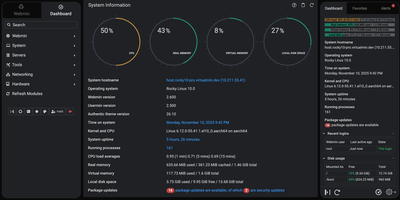
Skip the shell and the configuration file: Webmin handles user accounts, disk quotas, services, and server software on Linux and Unix machines from a browser tab. More than 100 standard modules sit under seven menus: Webmin, System, Servers, Tools, Networking, Hardware, and Cluster. System covers Users and Groups, Scheduled Cron Jobs, Running Processes, System Logs, Log File Rotation, Disk Quotas, Filesystem Backup, and systemd Bootup and Shutdown, plus Software Package Updates, which can hold selected packages on APT and DNF systems. Servers edits Apache, Nginx, BIND DNS, Postfix, Dovecot, MySQL and MariaDB, and PostgreSQL through forms. Networking brings an nftables firewall editor, Fail2Ban jails, and IPsec VPN settings. Tools adds File Manager, Custom Commands, and a Terminal that opens right in the browser. Hardware lists firmware, PCI, USB, storage, and sensor details. The dashboard keeps live CPU, memory, and disk gauges, stats history graphs, and a pending updates alert in view. Webmin Users limits each account to the modules it needs, while two-factor authentication, IP access control, and SSL settings guard the panel itself. Cluster modules reach other hosts registered in the Webmin Servers Index and run cron jobs, shell commands, and package installs on many servers at once. Running on a dedicated VPS on RepoCloud with guaranteed CPU, RAM, and SSD, full root SSH access, and a browser serial console. BSD-3-Clause licensed.