Nexterm
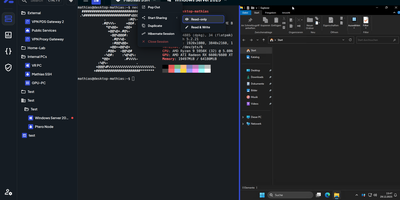
Terminals, remote desktops, and file browsers for every server you run: Nexterm opens them over SSH, VNC, RDP, Telnet, or SFTP from a self-hosted web page. Servers live in folders with tags and custom icons. Connections open as tabs or split views, keep running across browsers and devices, and can hibernate and resume later. The file manager handles SFTP and FTP: drag files in, upload whole folders, search, and edit in place with syntax highlighting. Live metrics track CPU, memory, disk, network, and processes for each host. Snippets store the commands you retype most. Scripts run whole maintenance jobs. Git repositories added as sources bring ready-made ones filtered by operating system. Organizations share servers through role-based permissions, and every action is logged. Record full terminal sessions for audits and training, or send a shared-session link so a colleague can join, read-only or writable. Authentication covers local accounts with TOTP and passkeys, OIDC providers such as Keycloak, Authentik, and Microsoft Entra ID, and LDAP or Active Directory. Saved passwords, SSH keys, and passphrases stay encrypted at rest. A Proxmox integration lists LXC containers and QEMU virtual machines and can start or stop them. An opt-in AI assistant drafts shell commands from plain-language requests. Running on a dedicated VPS on RepoCloud with guaranteed CPU, RAM, and SSD, full root SSH access, and a browser serial console. MIT licensed.
Sencho
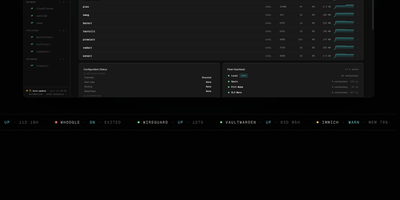
With over 430 GitHub stars and designed for DevOps engineers, platform teams, and homelab operators, Sencho is the self-hosted Docker Compose control plane that gives you a real operational cockpit without abandoning file-on-disk compose workflows. The web dashboard provides live CPU, memory, and disk sparklines per container, one-click start/stop/restart controls, and a Monaco-powered YAML editor with syntax highlighting, inline diff, and one-click rollback. Compose files remain the source of truth on the host filesystem. Multi-node management connects remote Sencho instances via authenticated HTTP and WebSocket proxy using long-lived API tokens, with no SSH access or exposed Docker sockets required. The Pilot Agent establishes an outbound-only WebSocket tunnel for nodes behind NAT, CGNAT, or strict firewalls. Blueprints define compose intent once and deploy it across label-targeted nodes, with drift detection keeping the fleet aligned. Fleet Federation provides cordon and pin controls for maintenance windows, while Fleet Actions execute bulk deploy, stop, and restart operations by stack label across the entire infrastructure. The security suite includes Trivy vulnerability scanning, deploy enforcement policies, SARIF and SBOM export, and Fleet Sync to replicate scan policies across replicas. Additional capabilities include 199+ one-click app templates, Git source integration, atomic deploys with auto-rollback, auto-heal, scheduled operations, webhooks, and custom S3 off-site backups to MinIO, R2, B2, or AWS. Running on a dedicated VPS on RepoCloud with guaranteed CPU, RAM, and SSD, full root SSH access, and a browser serial console. AGPL-3.0 licensed.
Dagu
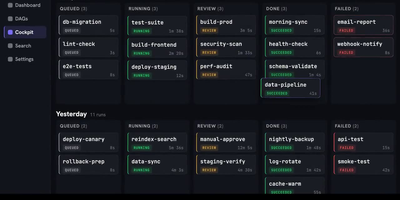
With over 3,700 GitHub stars and growing adoption among teams tired of managing complex orchestration platforms, Dagu delivers a complete workflow engine as a single Go binary that requires no external database, message broker, or framework installation. Define directed acyclic graphs in declarative YAML — specifying dependencies, schedules, retries, timeouts, approvals, and notifications — while keeping existing shell scripts, containers, and tools completely unchanged. The built-in Web UI provides live pipeline visualization, per-step log streaming, run history browsing, artifact previewing, manual retry controls, and workflow YAML editing without SSHing into servers. Execute steps as shell commands, Docker containers, Kubernetes Jobs, SSH remote commands, SQL queries, or HTTP requests, with conditional branching and parallel execution handled natively. The integrated Model Context Protocol server exposes dagu_read, dagu_change, and dagu_execute tools, enabling AI agents like Claude, Codex, and Cursor to inspect workflow state, preview YAML modifications, and control runs through authenticated endpoints. The harness.run executor lets external coding-agent CLIs operate inside DAG steps with full scheduling and approval gate support. Scale beyond a single machine with the distributed worker mode, which dispatches tasks to remote nodes via gRPC with automatic label-based routing and worker selection. Deploy with Docker, the official Helm chart for Kubernetes, or a simple binary download requiring only a Linux, macOS, or Windows host. Running on a dedicated VPS on RepoCloud with guaranteed CPU, RAM, and SSD, full root SSH access, and a browser serial console. GPLv3 licensed.
Kopia
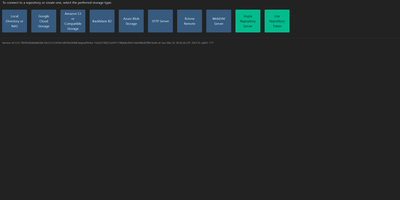
Engineers who have outgrown Duplicati or rsync scripts tend to appreciate Kopia's design: encrypted, compressed, content-deduplicated snapshots in Go, stored in a repository on any storage you control - S3, Google Cloud Storage, Azure Blob, Backblaze B2, SFTP, WebDAV, or a plain filesystem. Encryption is mandatory and end-to-end: every block is encrypted client-side with AES-256-GCM or ChaCha20-Poly1305 using keys derived from your repository password, and even file names never leave the machine in plaintext. Blocks are packed into 20-40 MB blobs with random names, so the storage provider learns nothing about content or structure. Deduplication is automatic and content-based - identical data across files, snapshots, and even multiple machines backing up to the same repository is stored once. Policies govern everything per-directory: compression choice, retention (hourly through annual), scheduling, and ignore rules. Incremental snapshots are point-in-time records you can mount and browse like a filesystem. This deployment runs the Kopia repository server with its web UI, centralizing backups from multiple client machines over an authenticated API - each client connects with the server URL and certificate fingerprint, and users only see their own snapshots. Error correction, high-latency-tolerant caching, and both CLI and GUI round it out.
Arkeep
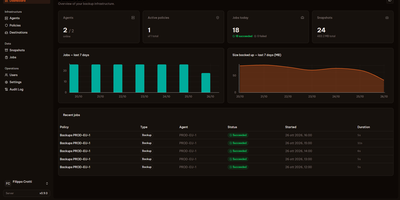
Five servers, five cron jobs, five restic scripts nobody quite remembers writing: Arkeep replaces that archaeology with one dashboard where every backup in your infrastructure reports for duty. A small agent on each machine dials out to the central server and waits for work, so nothing listens on an agent port and machines behind NAT or a home firewall enroll just as easily as cloud VPSes. From the web interface you define destinations, which can be local disk, any S3-compatible storage, SFTP, a restic REST server, or more than forty Rclone backends, then build policies that send one backup job to several destinations at once for a genuine 3-2-1 layout. Docker volumes are discovered automatically, and databases stream straight into the backup with pg_dump and mysqldump instead of fragile file copies. Retention and repository integrity checks run per destination on their own schedules. When recovery day comes, you open any snapshot in the browser, browse its files, and restore a single folder in place or somewhere new. Failures announce themselves by email, Slack, Discord, or webhook, or stay silent in Healthchecks.io. Sign-in is yours to choose: local accounts with TOTP two-factor, or single sign-on through any OIDC provider. Running on a dedicated VPS on RepoCloud with guaranteed CPU, RAM, and SSD, full root SSH access, and a browser serial console. Apache-2.0 licensed.
VolumeVault
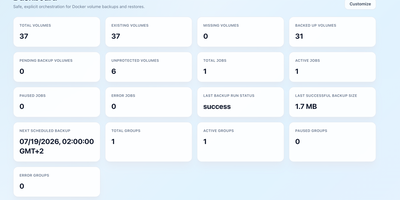
VolumeVault turns Docker volume backups into a routine you can prove: it schedules them, stores them off the box, and restores them into brand-new volumes so original data is never the test subject. A guided web dashboard discovers every Docker volume on the host and shows backup coverage per volume or per Compose and Swarm stack, including the size of the latest known backup, so gaps are visible before they matter. Each job runs on an hourly, daily, weekly or cron schedule with retention by days or archive count, include and exclude filters, and a choice of whether containers stop during the run. Archives land where you keep them: AWS S3, Cloudflare R2, any S3-compatible store, WebDAV, SFTP, Azure Blob, Dropbox, Google Drive or a local path, with credentials encrypted at rest. Restores download and verify the archive first, then unpack it into a new volume by default; overwriting the original demands an explicit confirmation. Several volumes can ride one grouped schedule that reports once for the whole set, and containers can volunteer themselves for backup through Docker labels. Small agent containers extend the same jobs to other Docker hosts, including encrypted cross-host restores into fresh volumes, while API tokens let scripts and dashboards drive everything the UI can. Running on a dedicated VPS on RepoCloud with guaranteed CPU, RAM, and SSD, full root SSH access, and a browser serial console. Apache-2.0 licensed.
UWAS
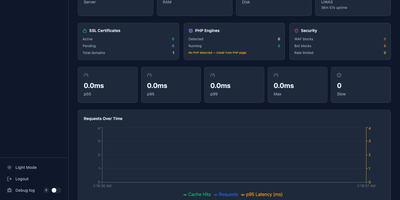
One 18 MB Go binary does the job of Apache, Nginx, Varnish, Caddy, and cPanel combined. Point UWAS at your /var/www directory and it auto-detects sites, provisions Let's Encrypt certificates, enables HTTP/3 via QUIC, and activates a two-tier caching engine with L1 memory shards and L2 disk storage, all before you write a single line of configuration. The React 19 admin dashboard provides 42 management pages for domains, PHP versions, databases, cron jobs, DNS records, file management, backup and restore, SFTP users, and uptime monitoring with real-time SSE updates. PHP sites run through FastCGI with connection pooling and full .htaccess compatibility, so WordPress, Laravel, and legacy applications work without migration effort. The built-in WAF catches SQL injection, XSS, path traversal, and shell exploits, while per-domain rate limiting and bandwidth caps protect against abuse. Reverse proxy mode supports five load balancing algorithms, circuit breakers, canary deployments, and mirroring for blue-green rollouts. Git deploy clones your repository, runs the build, checks health, and restarts the service with rollback on failure. An MCP server lets AI agents manage domains, cache, and deployments through natural language. The Nginx and Apache migration CLI converts existing configurations to UWAS format automatically. Deploy on a dedicated VPS on RepoCloud with guaranteed CPU, RAM, and SSD, full root SSH access, and a browser serial console. AGPL-3.0 licensed.
Archon
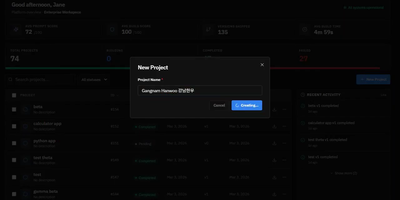
Stop hoping your AI coding assistant remembers to plan before it codes, test after it implements, and review before it ships. Archon wraps Claude Code, OpenAI Codex, and other AI agents inside structured YAML workflows that enforce the same development process every single time. Define your pipeline as a directed acyclic graph of nodes (AI tasks, shell scripts, approval gates, loops) and Archon handles the orchestration: resolving dependencies, running independent nodes in parallel, passing artifacts between steps, and isolating every run in its own git worktree so five bug fixes can proceed simultaneously without conflicts. Ship with 17 pre-built workflows covering everything from "idea to merged PR" to automated conflict resolution, or author your own by committing YAML files to your repository's .archon/workflows/ directory. The web dashboard, launched with archon serve, provides a conversation interface with real-time streaming, a visual drag-and-drop workflow builder for creating DAG pipelines, step-by-step progress monitoring for every run, and a unified sidebar aggregating conversations from CLI, Slack, Telegram, and GitHub into one view. An NLP router parses natural language requests and automatically selects the right workflow. Structured JSON output schemas let you enforce typed responses from AI nodes, with validation and auto-repair for providers that lack native schema support. Every workflow file is version-controlled, portable, and reviewable in pull requests, so your entire team runs identical processes from day one. Running on a dedicated VPS on RepoCloud with guaranteed CPU, RAM, and SSD, full root SSH access, and a browser serial console. MIT licensed.
Apache DolphinScheduler
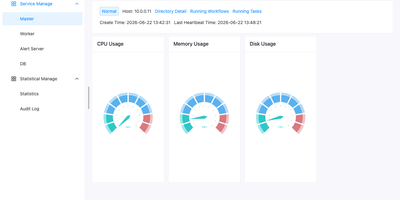
When nightly SQL, Spark, and Python jobs outgrow cron, Apache DolphinScheduler replaces the tangle with a visual workflow orchestrator where every dependency is a line on a drag-and-drop canvas. More than 30 built-in task types cover Shell, SQL, Python, HTTP, Spark, Flink, Kubernetes, SeaTunnel, and Jupyter, while logic nodes add sub-workflows, conditions, switches, and dependencies across projects. Workflows can also be written as code through a Python SDK, YAML, or the Open API and run on timezone-aware cron schedules. Backfill reruns a workflow across a date range or a hand-picked list of dates, in serial or parallel, and any instance can be modified, rolled back, and rerun without touching the saved template. Kill, pause, and resume running tasks, and choose whether a failure ends the run or lets parallel branches continue. Alert groups route results to Email, Slack, Telegram, PagerDuty, Feishu, DingTalk, webhooks, or custom scripts. Tenants, worker groups, and environments isolate teams on shared infrastructure, with project and data source permissions. A Resource Center stores scripts and task files locally or on HDFS, MinIO, and cloud object storage, and the monitor page shows master, worker, and database health at a glance. Standalone, Cluster, Docker, and Kubernetes deployments scale from one node to many masters and workers that can join or leave a running cluster. Running on a dedicated VPS on RepoCloud with guaranteed CPU, RAM, and SSD, full root SSH access, and a browser serial console. Apache 2.0 licensed.
Terrapod
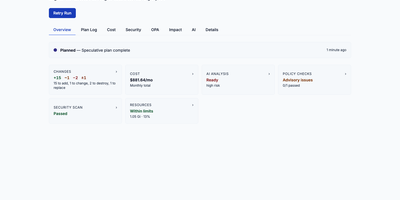
Terrapod gives you the Terraform Enterprise control plane on your own Kubernetes cluster, with remote state, run approvals, and policy checks, and no per-resource bill at the end of the month. Point your existing cloud block at it and terraform or tofu keep working unchanged, because Terrapod answers the same backend protocol the CLI already speaks. Workspaces isolate state, variables, and runs per team or environment, with versioned state you can lock, inspect, and roll back. Server-side agent pools execute plans and applies on ephemeral Kubernetes jobs, while CLI-driven runs stay available for local workflows. Approvals gate every apply, and conditional auto-apply only proceeds when a plan adds or updates resources without destroying anything. Label-based RBAC decides who may read, plan, write, or administer each workspace, with OIDC and SAML single sign-on on top. A private registry hosts your own modules and providers with GPG signing, and OPA Rego policy sets enforce rules as mandatory or advisory checks before apply. Drift detection flags infrastructure that wandered from its state, run triggers chain dependent workspaces, and an interactive impact graph shows a plan's blast radius before you approve it. Optional AI review summarizes each plan's changes and risks, and an MCP server lets AI assistants inspect workspaces and runs under the same permissions. Running on a dedicated VPS on RepoCloud with guaranteed CPU, RAM, and SSD, full root SSH access, and a browser serial console. MPL-2.0 licensed.
WebCodex
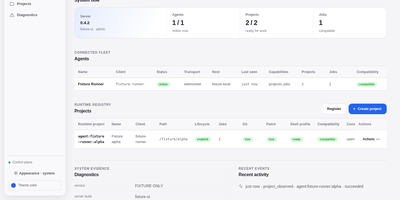
WebCodex gives ChatGPT, Claude, and other MCP clients a real development environment on machines you own, so an AI assistant can edit your actual repositories instead of a pasted snapshot. A self-hosted Server authenticates every request and routes it to a Runner sitting next to your code, where file edits, Git operations, test runs, shell commands, and long jobs execute with your real toolchain. Your projects never move into a hosted workspace; only the tool results you authorize travel back to the model. The browser Runtime Console shows project readiness, the work queue, session activity, and connected Runners, and it is where you decide pending approvals or accept and reject finished work, because the model cannot approve its own changes. Runners join with a short-lived pairing code and stay connected over QUIC, WebSocket, or polling, so machines behind NAT still work. One-command sharing opens a temporary session for a single repository, while durable setups run the Server and Runner as system services behind your own HTTPS domain. Workflow Sessions keep evidence and context across conversations, so long tasks survive closed browser tabs and threads you pick up days later. Running on a dedicated VPS on RepoCloud with guaranteed CPU, RAM, and SSD, full root SSH access, and a browser serial console. Apache-2.0 licensed.
Docker Registry UI
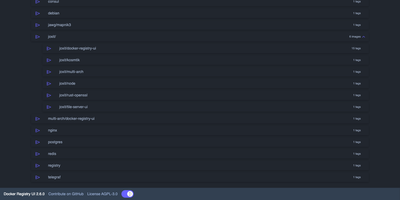
Instead of querying a private registry with curl and its HTTP API, open Docker Registry UI and click through repositories, tags, digests, and layers in a browser. The catalog groups images by namespace, shows tag counts, and filters as you type in the search bar, which Ctrl+F or F3 focuses. Each repository's tag list shows creation date, size, content digest, and CPU architecture, sorts numerically, and copies a ready-made pull reference with one click. A history page expands any tag into its operating system, entrypoint, environment variables, exposed ports, and layer-by-layer build steps, and a Dockerfile view reconstructs the file from those steps. The same view also covers multi-architecture images and OCI Helm exports. When the registry allows deletion, tags go one at a time or in bulk with checkboxes, Alt+Click for a whole page, and Shift+Click for a range. One interface can switch between several registries from its menu, or be locked to a single registry with your own title. Basic authentication passes through the browser, and a built-in proxy option forwards requests to your registry container so CORS needs no configuration. Light, dark, and automatic themes come with color variables for custom branding, and a weekly notice announces newer releases. Running on a dedicated VPS on RepoCloud with guaranteed CPU, RAM, and SSD, full root SSH access, and a browser serial console. AGPL-3.0 licensed.
Apache HertzBeat
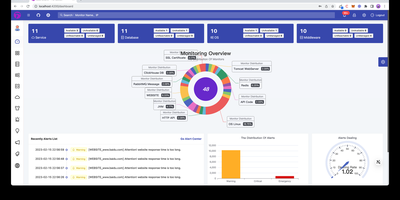
Instead of deploying proprietary background agents across dozens of target nodes, engineers rely on Apache HertzBeat to monitor real-time infrastructure health, metrics gathering, threshold alerting, and public status pages from a central operations platform. Operations teams can poll hundreds of target services without deploying proprietary background daemons, gathering performance data across Linux hosts, Kubernetes clusters, SQL databases, and network switches using native connection protocols. Engineers can define custom monitoring targets directly within the web dashboard by composing declarative YAML templates that specify polling intervals, parsing expressions, and metric extraction rules. The centralized alert engine processes inbound threshold events, suppresses cascading alert storms during maintenance windows, and dispatches actionable incident notifications to Discord channels, Slack rooms, Telegram groups, and webhook endpoints. Telemetry streams flow into interactive charts with customizable refresh cadences, enabling site reliability engineers to inspect latency waterfalls, correlate log spikes against CPU exhaustion, and track disk capacity trends over extended timeframes. Administrators can also publish real-time public status pages that inform external stakeholders about service availability, scheduled downtime, and ongoing incident resolutions. Running on a dedicated VPS on RepoCloud with guaranteed CPU, RAM, and SSD, full root SSH access, and a browser serial console. Apache 2.0 licensed.
Vaultwarden
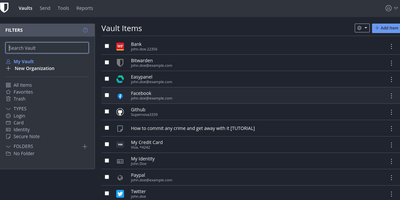
The Bitwarden server, reimplemented in Rust: Vaultwarden (formerly bitwarden_rs) is the unofficial lightweight edition. It speaks the same wire protocol as the official server, so every official Bitwarden client - browser extensions, iOS, Android, desktop, and the bw CLI - connects without modification, while the server itself runs as a single container against SQLite (or MySQL/MariaDB/PostgreSQL) instead of the official multi-container stack that wants gigabytes of RAM. Features Bitwarden gates behind paid tiers ship free: organizations with collections, groups, member roles, and policies; TOTP code storage; file attachments; Bitwarden Send; Emergency Access; event logs; and admin password reset. Two-factor options cover authenticator apps, email, FIDO2 WebAuthn, YubiKey, and Duo, and OIDC-based SSO landed natively in v1.35.0. Zero-knowledge encryption is unchanged - vault data is encrypted client-side and the master password never reaches the server. Attachments and Sends store on local disk or S3-compatible backends, an admin panel manages users and server settings, and backup is copying one data directory. Suited to individuals and teams up to roughly 50 users.
Open Code Review
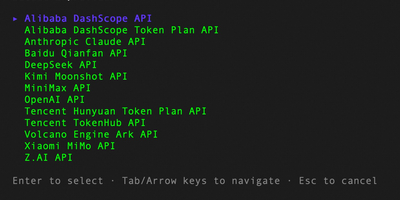
Originated as Alibaba Group's official internal AI code review assistant serving tens of thousands of developers and identifying millions of code defects over two years before open-sourcing in May 2026 — now at 21,000+ GitHub stars — Open Code Review is the production-hardened platform that proves enterprise-grade code review can be fully open-source under Apache 2.0. The hybrid architecture separates deterministic engineering pipelines (file selection, diff parsing, rule matching for NPE, thread-safety, XSS, and SQL injection across 10+ languages) from LLM-powered agent reasoning with tool-use capabilities including FileRead, CodeSearch, and cross-file context inspection, consuming approximately one-ninth the tokens of general-purpose coding agents while delivering line-level precise comments with severity and confidence scoring. The bundled web dashboard (port 4173) provides review management, findings triage, result browsing, and direct GitHub posting without external dependencies, while the session viewer (port 5483) renders full LLM request/response traces for debugging and auditing. Integration spans GitHub Actions, GitLab CI, GitFlic CI, and Gerrit with delegation mode enabling Claude Code, Cursor, and other AI agents to leverage OCR's engineering logic alongside their own LLM reasoning. Supports OpenAI, Anthropic, Google Gemini, DeepSeek via built-in providers plus Ollama and vLLM for air-gapped deployments. Running on a dedicated VPS on RepoCloud with guaranteed CPU, RAM, and SSD, full root SSH access, and a browser serial console. Apache 2.0 licensed.
ServerBee
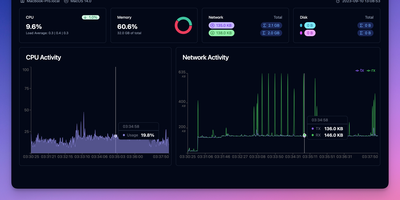
ServerBee delivers complete fleet monitoring from a single Rust binary that embeds both the server and web UI, requiring no external database or heavy runtime. Lightweight agents installed on each node stream CPU, memory, disk, network, load, temperature, GPU, and disk I/O metrics over persistent WebSocket connections to a central server backed by embedded SQLite. The real-time React dashboard presents 17 drag-and-drop widget types across custom layouts, with historical charts spanning one hour to 30 days and monthly traffic statistics with billing-cycle prediction and cost insights including burn rate and per-resource unit cost scoring. Network monitoring covers ICMP, TCP, and HTTP ping probes, service monitors for SSL certificates, DNS records, HTTP keyword matching, TCP ports, and WHOIS expiration, plus network-quality probing across 96 China 3-ISP and international presets with IP-quality and streaming-unlock detection. Remote management features include a web terminal with sandboxed file manager, Docker container stats with logs and events, firewall configuration, and agent auto-update capabilities. Public status pages display 90-day uptime timelines, while alerting supports email and webhook notifications with flexible trigger expressions. A native iOS companion app provides mobile monitoring access. Deploy via Docker or download the single binary for Linux, macOS, or Windows, running on a dedicated VPS on RepoCloud with guaranteed CPU, RAM, and SSD, full root SSH access, and a browser serial console. AGPL-3.0 licensed.
MeterSphere
MeterSphere is the open-source continuous testing platform that brings test management, API testing, and AI-powered automation into a single self-hosted environment. The Spring Boot Java backend handles test execution with the JMeter engine while the Vue.js frontend delivers a responsive interface for managing test cases, plans, defects, and reports across projects. The built-in AI assistant leverages large language models to auto-generate functional test cases and API interface definitions, reducing manual test creation effort. Test management covers the complete lifecycle from writing and reviewing cases in list or mind-map views, through test plan creation with single plans and plan groups, to defect tracking with customizable templates and workflow rules. API testing combines Postman-like ease of use with JMeter-level flexibility, supporting interface debugging with server-side and local execution, API definition with visual request and response editors, interface mocking with configurable headers and body parameters, scenario automation with visual orchestration, and detailed test reports with automatic generation. The system-organization-project hierarchy supports up to 30 users in the community edition with role-based access control, file management, and configurable notification channels. MySQL stores application data, Kafka handles message queuing, MinIO provides S3-compatible object storage, and Redis manages caching. The plugin marketplace extends testing capabilities and enables DevOps pipeline integration. On RepoCloud, deploy MeterSphere on a dedicated VPS with Docker, root SSH access, and complete control over your testing infrastructure, all under the GPLv3 license.
Kong
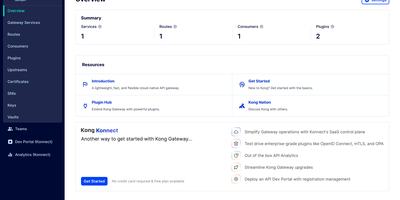
With over 43,000 GitHub stars and adoption by companies including Nasdaq, Samsung, and Expedia, Kong Gateway is the world's most deployed open-source API gateway, processing billions of API requests daily across hybrid-cloud and multi-cloud architectures. Built on the battle-tested NGINX engine with OpenResty's LuaJIT runtime, Kong delivers sub-millisecond proxy latency while supporting REST, gRPC, GraphQL, WebSocket, SOAP, and Kafka protocols. The plugin architecture includes authentication via JWT, Basic Auth, HMAC, key authentication, OAuth 2.0, and LDAP, alongside rate limiting with configurable windows per consumer, IP address, or API key. The AI Proxy plugin provides a universal LLM API that routes across OpenAI, Anthropic, Google Gemini, AWS Bedrock, Azure AI, Databricks, Mistral, and Hugging Face through a single standardized interface, while MCP proxy capabilities convert REST APIs into MCP tools and provide traffic governance for AI agents. Kong supports declarative configuration via YAML for GitOps workflows, a RESTful Admin API for dynamic configuration, and decK CLI for version-controlled infrastructure-as-code management. Upstream health checking with active and passive probes enables automatic failover, and the ring balancer distributes traffic across upstream targets with consistent hashing, round-robin, or least-connections algorithms. The Kong Plugin Hub hosts over 100 community and official plugins covering logging, monitoring, transformation, security, and traffic control. Running on a dedicated VPS on RepoCloud with guaranteed CPU, RAM, and SSD, full root SSH access, and a browser serial console. Apache 2.0 licensed.